

Share this tool:
 |
Description:
Avoma is an AI meeting and revenue intelligence platform for teams that need more than a transcript after a call. It records meetings, creates AI notes, organizes conversation insights, updates CRM fields, supports coaching, and helps revenue teams understand what is happening across calls, deals, and pipeline activity.
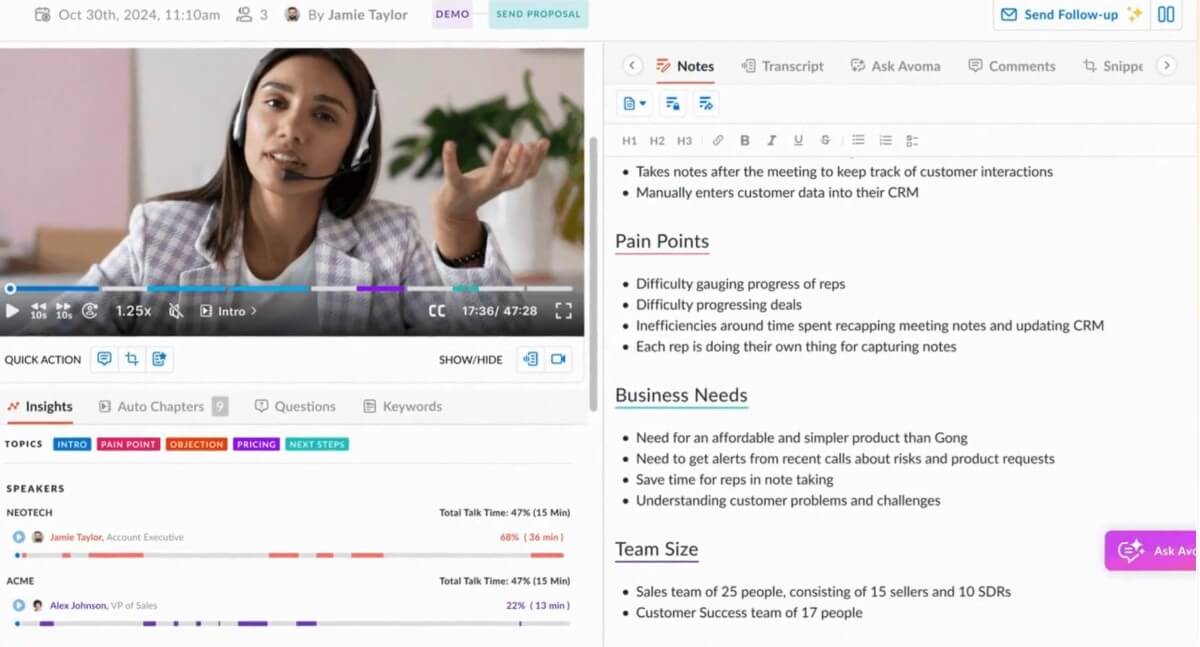
Avoma is best described as an all-in-one meeting intelligence platform. At the basic level, it joins or captures meetings, records conversations, transcribes them, and creates AI-generated notes. At the more advanced level, it connects those meetings to CRM records, coaching workflows, deal reviews, forecast conversations, and sales methodology tracking.
That matters because meeting notes are only one part of the problem. In sales, customer success, recruiting, consulting, and account management, the real value comes from what happens after the meeting: follow-up emails, action items, CRM updates, coaching feedback, deal risk signals, and searchable conversation history.
Avoma’s product family reflects that broader direction. Its homepage separates the platform into AI Meeting Assistant, Scheduler and Lead Router, Conversation Intelligence, and Revenue Intelligence. That makes Avoma more useful for go-to-market teams than a simple transcription app.
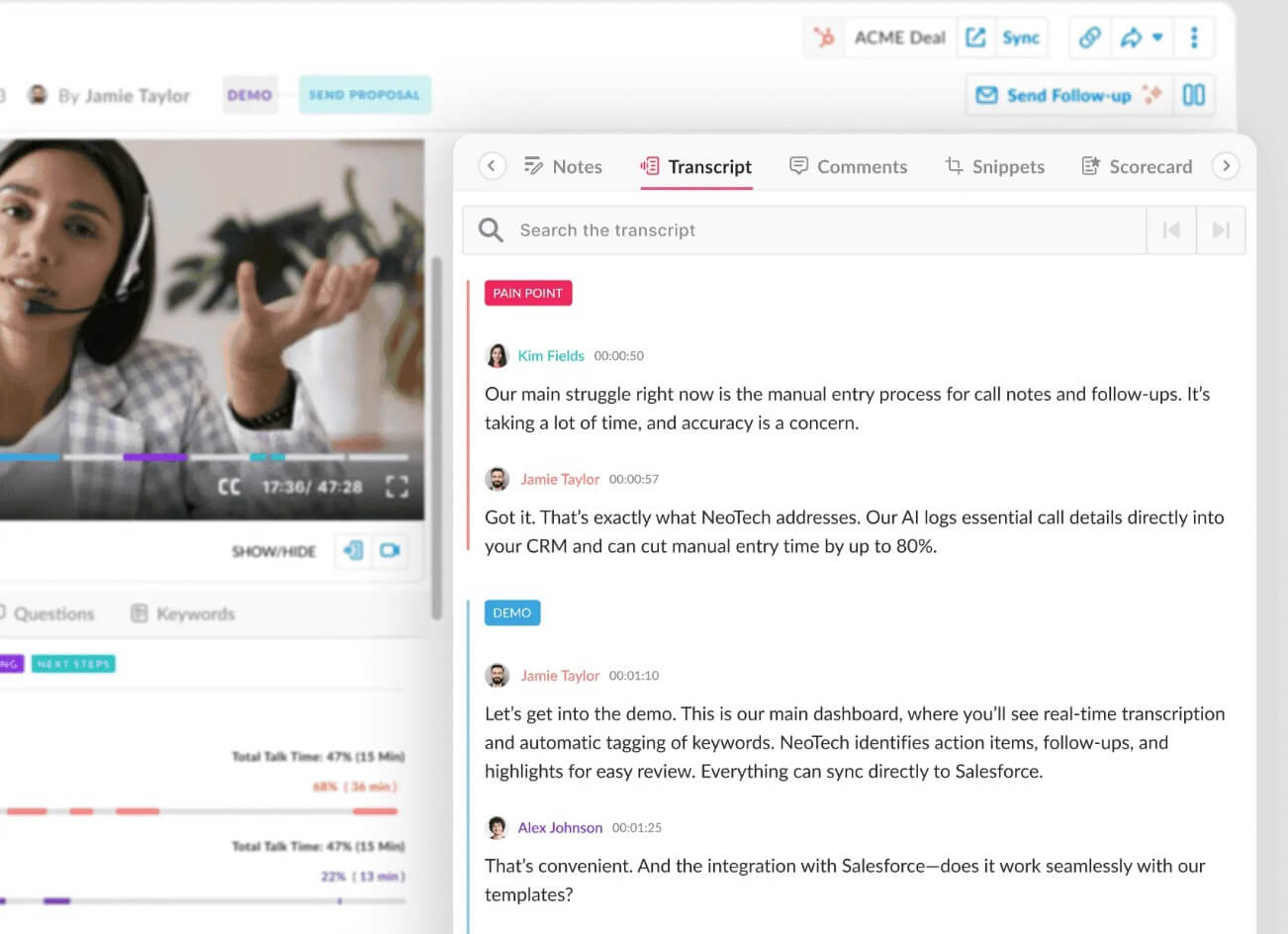
Avoma is strongest when meetings are tied to revenue, customer relationships, or team performance. A solo user can still benefit from automated notes, but the platform becomes more valuable when a team needs consistency across many calls.
Sales reps can use Avoma to stay focused during discovery and demo calls instead of writing everything down. Managers can review calls, score conversations, track objection handling, and coach reps. Revenue leaders can inspect deal risks and pipeline movement. Customer success teams can use meeting history to understand customer concerns, renewals, handoffs, and next steps.
The practical value is that Avoma turns scattered meeting data into a shared operating layer. Instead of each rep keeping notes in a different format, Avoma can capture calls, structure notes, push information into the CRM, and make conversations easier to review later.
| Feature | What it does | Why it matters |
|---|---|---|
| AI Meeting Notes | Captures AI-generated notes tailored to custom templates for different meeting types | Helps teams create consistent discovery notes, demo notes, onboarding notes, and customer summaries |
| Smart Chapters | Breaks long meetings into AI-generated sections | Makes recordings and transcripts easier to navigate |
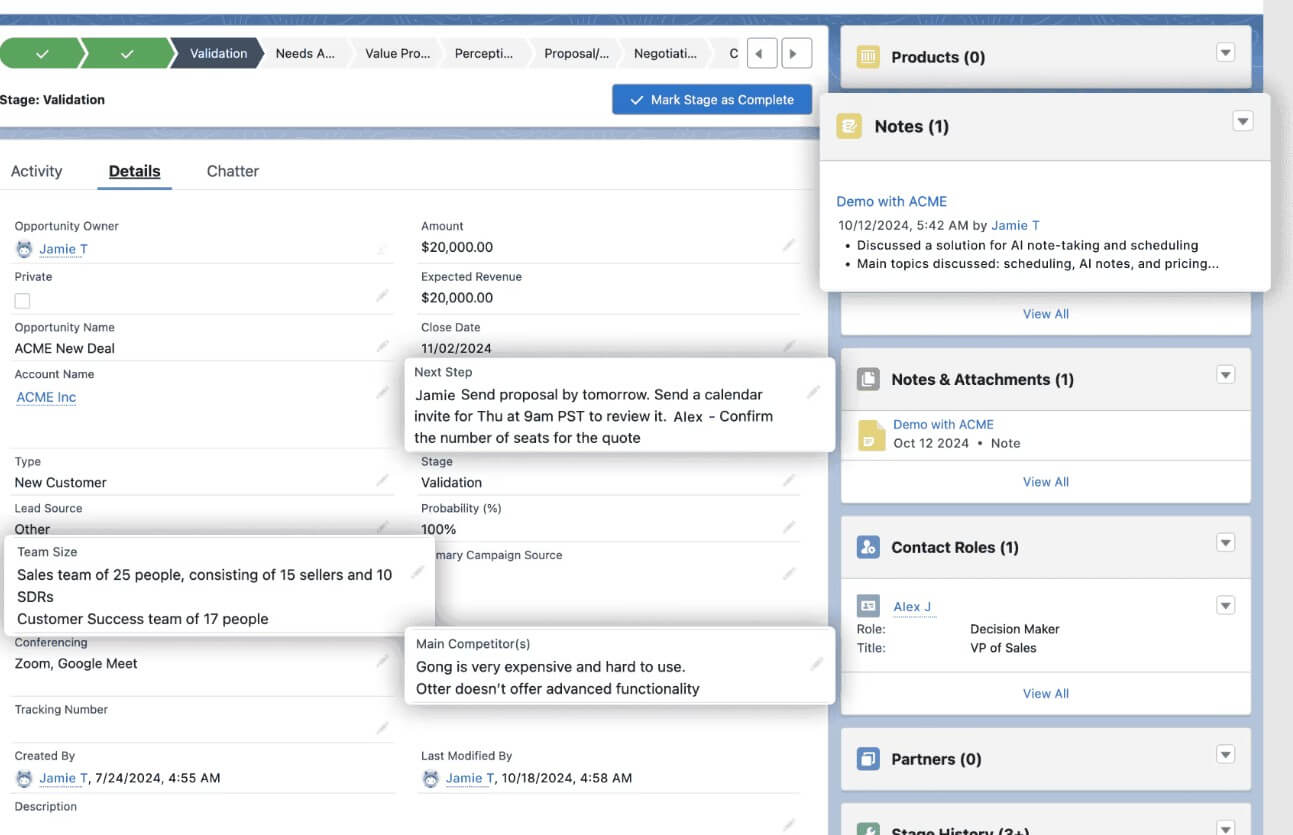
| Automatic CRM Updates | Detects key meeting topics and updates CRM fields for MEDDIC, SPICED, NEAT, and custom methodologies | Reduces manual CRM data entry after calls |
| Conversation Intelligence | Supports call scoring, live assistance, talk-pattern insights, trackers, and coaching workflows | Helps managers coach from real conversations |
| Revenue Intelligence | Surfaces deal risks, pipeline health, methodology tracking, forecast signals, and win-loss insights | Gives leaders better visibility into deal quality |
| Integrations | Connects with video conferencing, CRM, dialer, and collaboration tools | Keeps meeting intelligence connected to daily go-to-market systems |
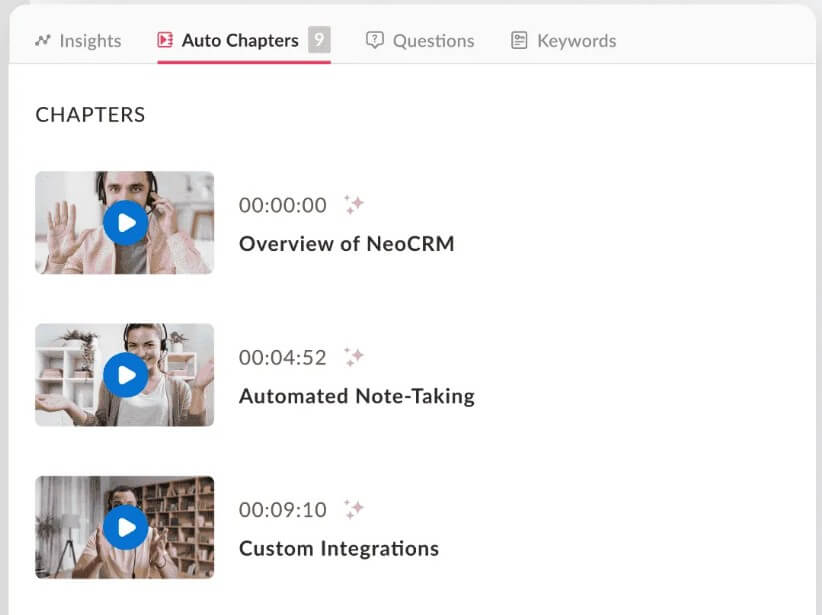
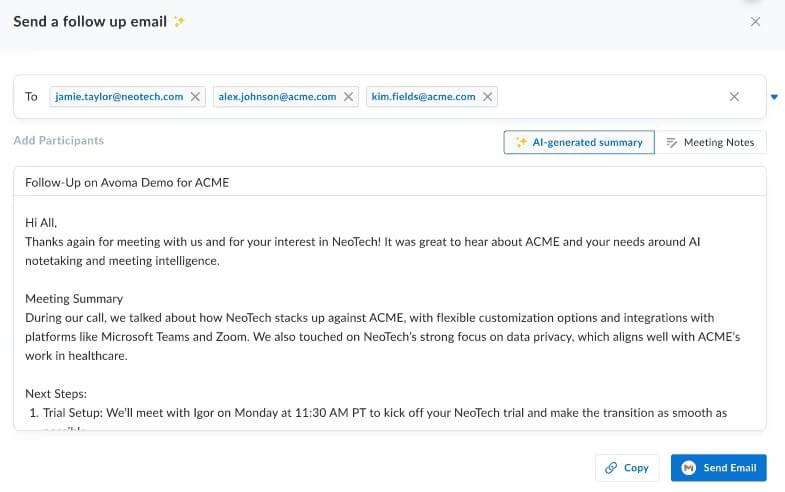
The starting workflow is straightforward. Connect your calendar and conferencing tools, then let Avoma capture meetings and generate notes. Avoma’s help center specifically points users to Zoom, Microsoft Teams, and Google Meet connections for recording and AI note-taking.
After that, the platform becomes more workflow-driven. Users can review the recording, skim the transcript, inspect AI notes, check action items, sync notes to the CRM, share snippets, and use conversation data for coaching or deal review.
This is where Avoma differs from basic AI notetakers. A lightweight notetaker may be enough if all you need is a meeting summary. Avoma makes more sense when meeting data needs to flow into a sales or customer workflow. The CRM sync is especially important because Avoma can recognize contact, company, and deal information from CRM attendee data and sync meeting notes accordingly.
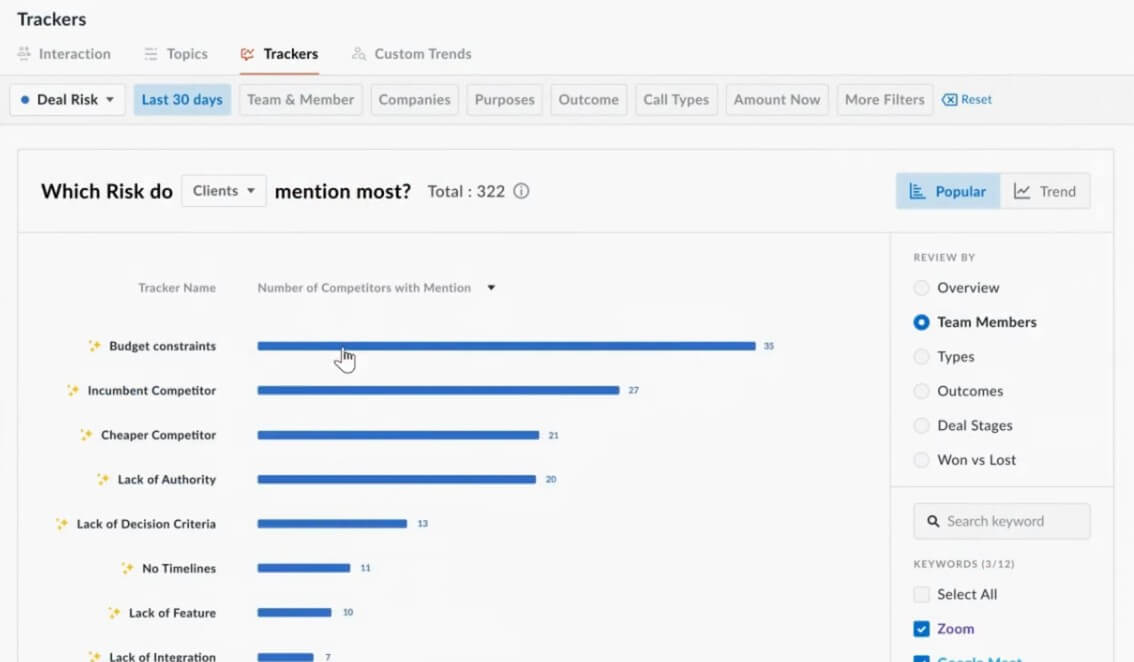
Avoma’s conversation intelligence layer is one of the strongest reasons to choose it over a plain transcription tool. It is designed for teams that want to improve how calls happen, not just document that they happened.
Managers can use Avoma to review calls, create coaching moments, analyze talk patterns, track competitor mentions, and identify objections or feature requests. Avoma’s conversation intelligence page highlights live answer assistance, AI call scoring, talk-pattern insights, and smart trackers.
For reps, this can support self-coaching. Avoma’s help center says users can review transcriptions, look at participant talk time, see which questions were asked, capture snippets, build playlists, and compare conversation insights across the organization. That is useful because coaching often fails when managers only review a small sample of calls. Avoma’s call scoring and tracking features give teams a more systematic way to find calls worth reviewing.
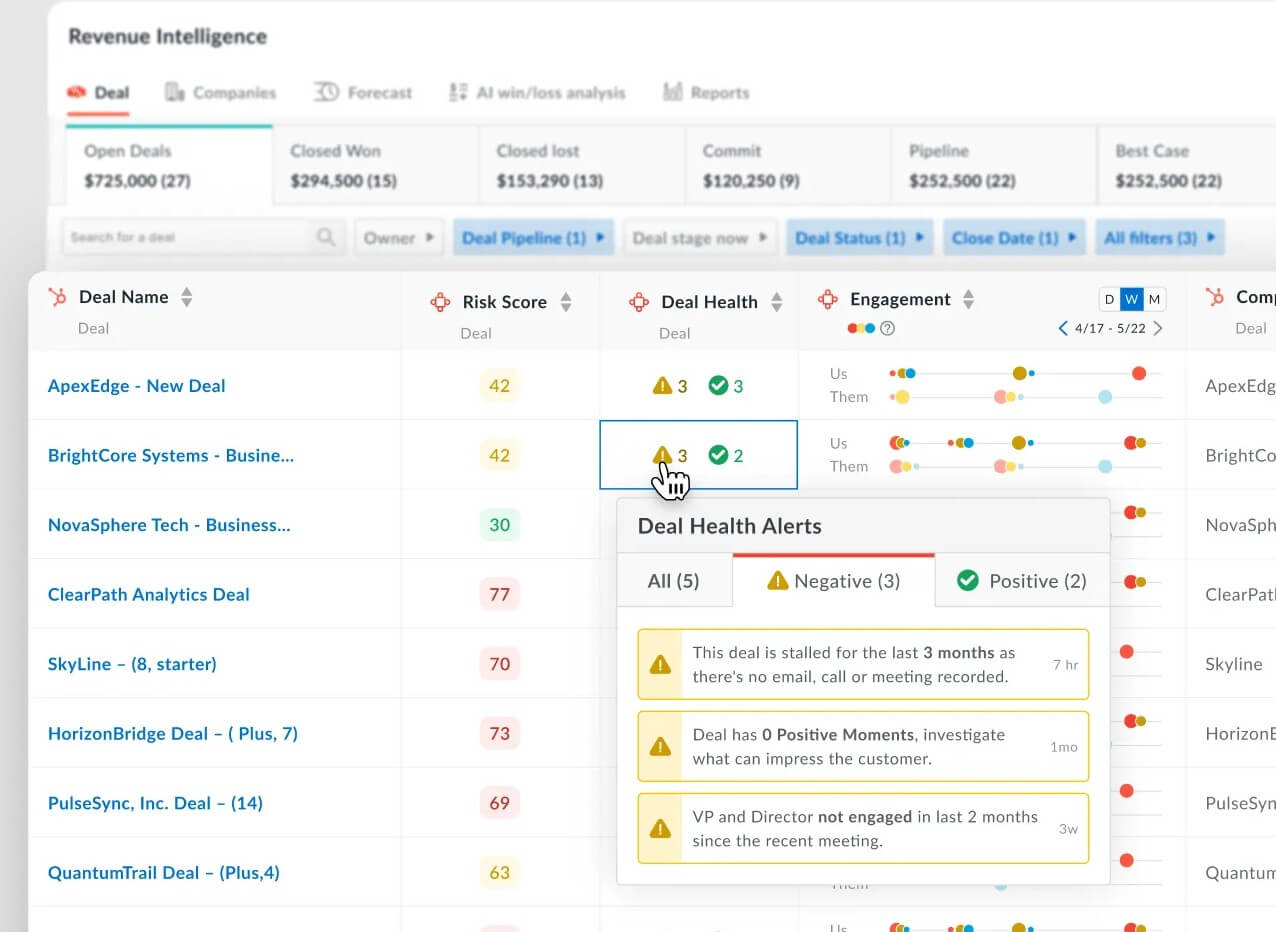
The revenue intelligence side is aimed at leaders who want to understand pipeline quality, not only activity volume. Avoma says its revenue intelligence product can track deal risks, methodology adherence, forecast signals, and win-loss patterns.
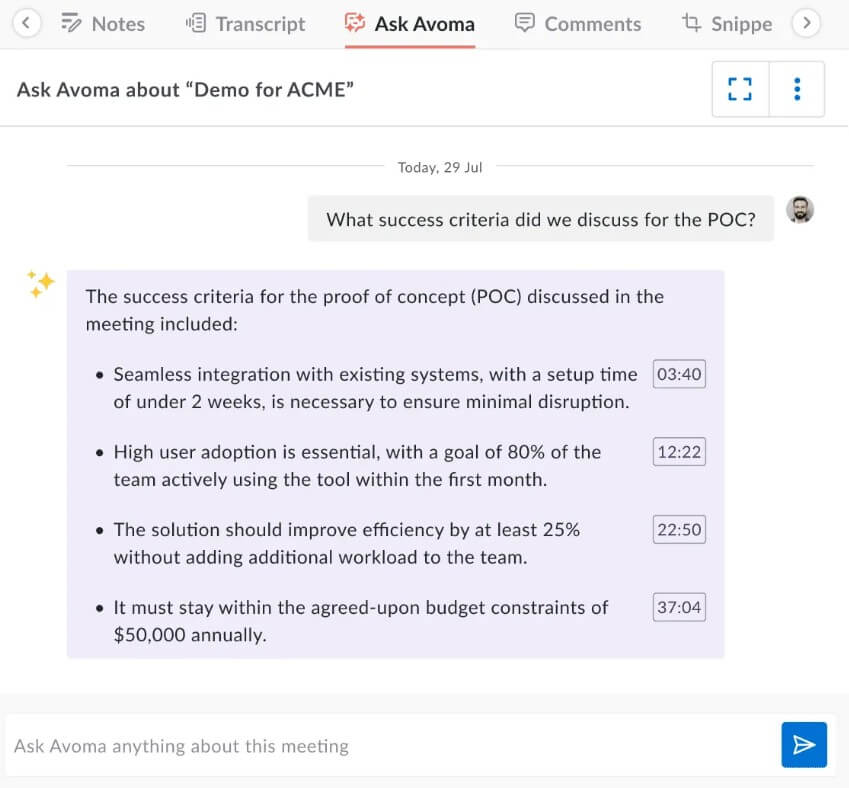
The more interesting feature here is deal context. Avoma’s revenue intelligence page says users can ask questions about a deal across meetings and email communication, then use those answers for decision-making and action planning.
That is a better fit for sales teams than generic meeting summaries. A sales leader does not only need to know that a meeting happened. They need to know whether the buyer raised budget concerns, whether a competitor was mentioned, whether next steps were confirmed, whether the deal is slipping, and whether the CRM reflects reality.
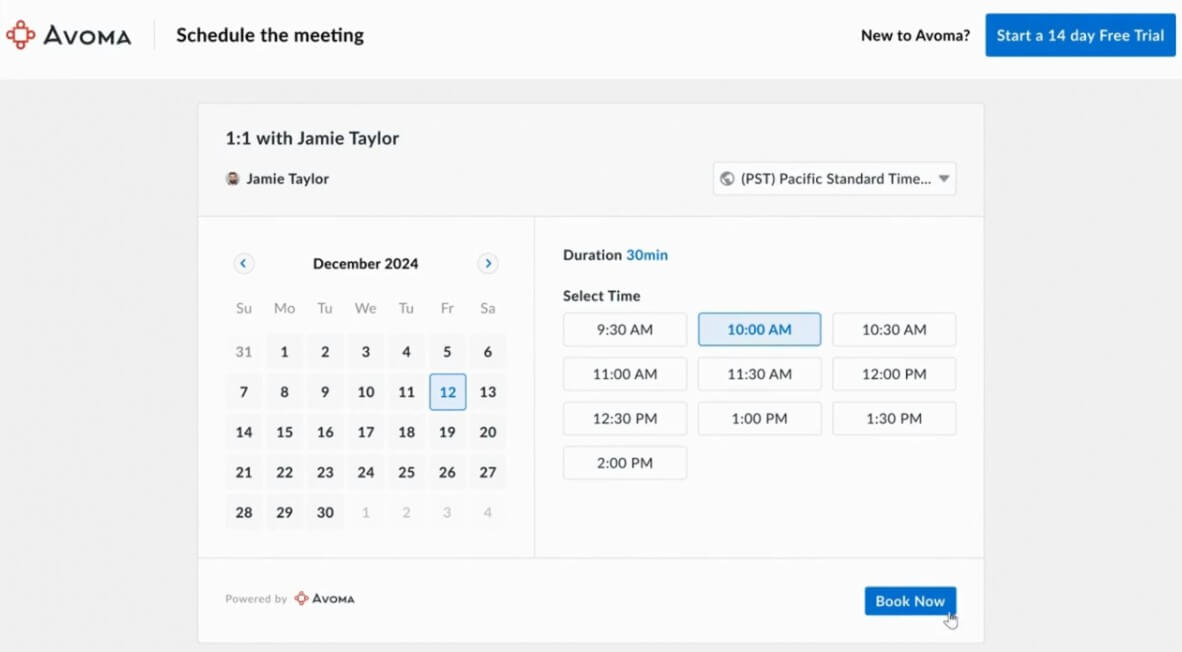
Avoma also includes scheduling and lead-routing functionality, which helps connect the pre-meeting workflow to the post-meeting intelligence layer. That matters for revenue teams because a call does not start when the meeting begins. It starts when a buyer, prospect, or customer is routed to the right person and the right meeting type.
This is useful for teams that want fewer handoffs between booking, meeting capture, follow-up, CRM updates, and coaching. When scheduling, notes, conversation intelligence, and revenue data live closer together, teams can create a more consistent customer-facing workflow.
Avoma is best for sales teams, customer success teams, revenue operations, sales managers, account executives, SDR teams, consultants, and any customer-facing group that runs a high volume of meetings.
It is especially useful for discovery calls, demos, customer onboarding, renewal reviews, pipeline reviews, sales coaching, handoffs, win-loss review, and account management. Teams that already use Salesforce, HubSpot, Zoom, Google Meet, Microsoft Teams, or similar tools will get more value because Avoma can connect meeting activity to the systems where the work continues.
It is less necessary for users who only need occasional meeting notes. If your meetings are low-stakes and you do not need coaching, CRM updates, or deal visibility, a simpler AI notetaker may be enough.
Avoma’s biggest trade-off is that it is more platform than simple recorder. That is a strength for revenue teams, but it may feel like too much for a user who only wants a quick transcript and summary.
The second limitation is setup discipline. CRM sync, call scoring, custom note templates, methodology fields, smart trackers, and coaching workflows need thoughtful configuration. If the team does not maintain its CRM or define what should be tracked, Avoma can capture more information without making the workflow cleaner.
The third caveat is review quality. AI notes and deal insights are useful, but sales and customer conversations still need human judgment. A manager should verify important details before relying on a summary for coaching, forecasting, or customer follow-up.
Avoma is a strong choice for teams that want AI meeting notes plus deeper conversation and revenue intelligence. Its best value is in connecting meetings to CRM updates, coaching, deal risk tracking, follow-ups, and pipeline review. It is best for sales, customer success, RevOps, and customer-facing teams with frequent calls. The main caveat is that Avoma works best when a team is ready to standardize its meeting workflows, CRM hygiene, and coaching process, not just record more calls.
TAGS: Productivity
Related Tools:

Transforms ideas into clear, actionable project plans
Automates candidate sourcing and evaluation
Streamlines the grading process for educators
Creates interactive guides and product demos
Streamlines note-taking, task organization, and insight generation
Generates quiz questions from slide content