

Share this tool:
 |
Description:
- Introduction
- What Teal Actually Is
- Where Teal Is Strongest
- Strong Features and Capabilities
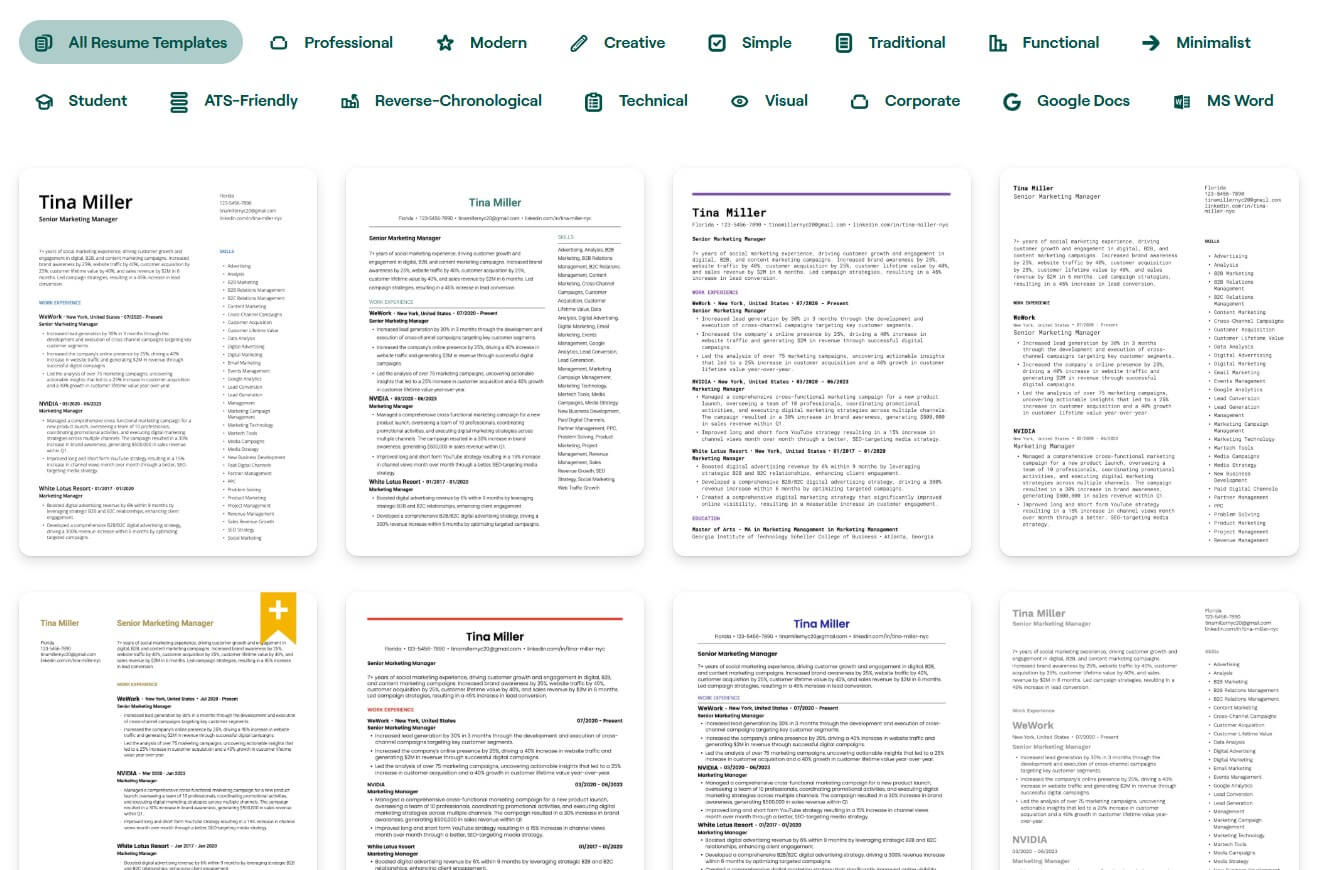
- Resume Builder and Matching Workflow
- Job Tracker and Chrome Extension
- AI Cover Letters and Application Writing
- Interview Practice and Career Tools
- Workflow and Ease of Use
- Best Use Cases
- Limitations and Trade-Offs
- Final Takeaway
Teal is an AI career platform for people who want more structure around the job search. Its core value is not just building a resume. It is the combination of resume tailoring, job tracking, job description matching, cover letter support, interview practice, and a browser extension that helps you save roles while searching across job boards.
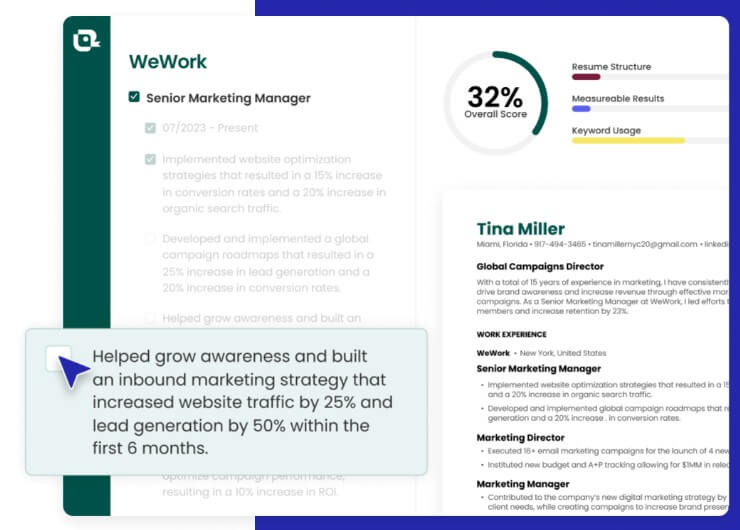
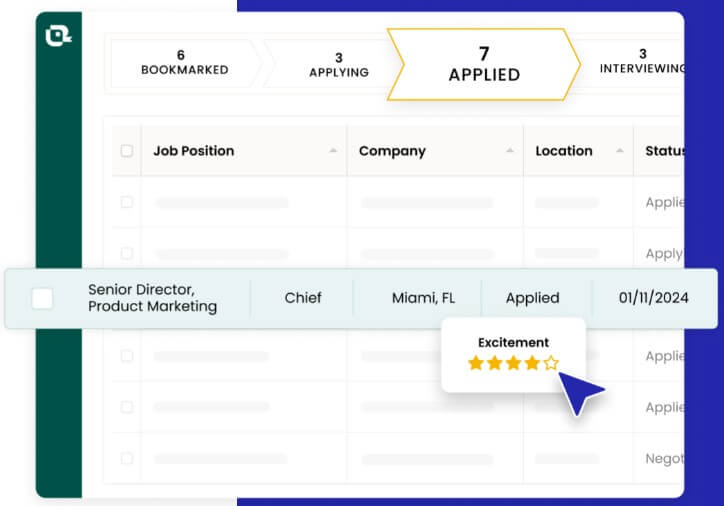
Teal is a job-search operating system built around two main workflows: improving your application materials and managing your pipeline. You can build resumes, compare them against job descriptions, generate cover letters, save jobs, track application stages, manage contacts, and prepare for interviews from one account.
That matters because job searching usually breaks down in two places. First, people send the same resume to too many different roles. Second, they lose track of what they applied to, who they contacted, and what needs follow-up. Teal tries to solve both problems by connecting resume work to saved jobs.
The platform’s homepage positions Teal around tailoring resumes with AI, organizing job opportunities, getting job insights, and saving jobs from popular job boards through the Chrome extension.
Teal is strongest for active job seekers who are applying to multiple roles and need a repeatable process. It is less useful if you only need a one-time resume template. The product gets more valuable when you save jobs, compare your resume to each posting, adjust keywords, track stages, and keep notes on contacts or follow-ups.
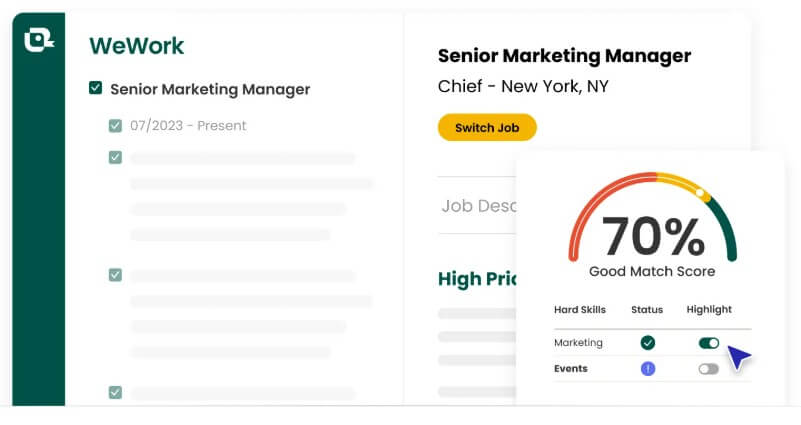
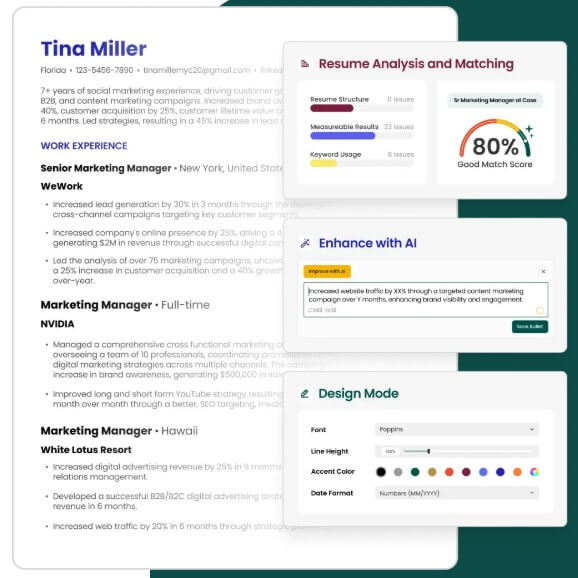
The best part is the loop between job discovery and resume tailoring. You find a role, save it, review the job description, match your resume against it, then improve your bullets and skills before applying. Teal’s Resume Job Description Match tool is built around this idea: paste a job description, see what is aligned or missing, and adjust language, keywords, structure, and formatting before submitting.
That is a more practical use of AI than asking a chatbot to “write me a resume.” Teal gives the AI a specific job description and a specific goal.
| Feature | What it does | Why it matters |
|---|---|---|
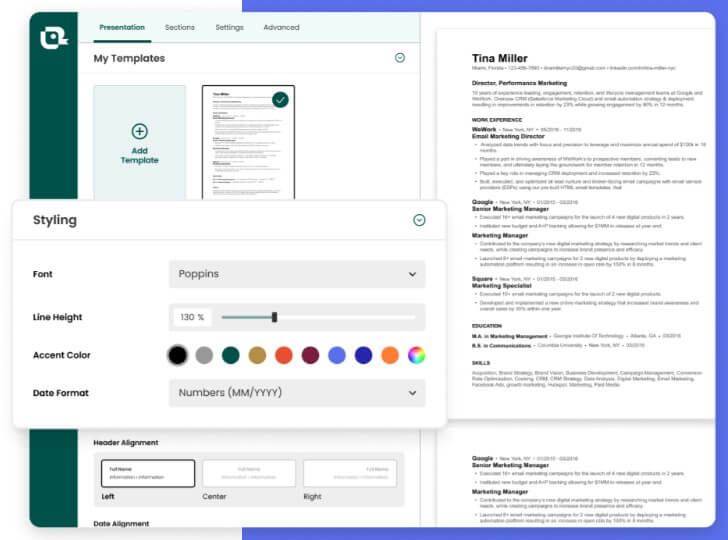
| AI Resume Builder | Helps create and edit resumes for specific roles | Better than starting from a blank document |
| Job Description Match | Compares resume content against a role | Shows keyword and alignment gaps before applying |
| Job Tracker | Stores jobs, companies, contacts, notes, and stages | Replaces messy spreadsheets and scattered bookmarks |
| Chrome Extension | Saves jobs from job boards into Teal | Keeps the search workflow connected |
| Cover Letter Generator | Creates role-specific cover letter drafts from resume and job details | Useful for faster, more tailored applications |
| AI Interview Practice | Runs role-specific mock interview sessions | Helps job seekers prepare after applications turn into interviews |
Teal’s resume workflow is the main reason most users will try it. The platform is built for creating multiple resume versions rather than treating your resume as one fixed document. That makes sense because a product manager role, operations role, customer success role, and analyst role may all need different emphasis, even if the same person is applying.
The Resume Job Description Match tool is especially important. It helps users compare a resume against a real job description and identify missing skills, phrases, or role-specific language. Teal says the tool helps users fine-tune language, keywords, and formatting, and shows what is aligned, what is missing, and what should be adjusted.
The practical benefit is focus. Instead of guessing which bullet points matter, you can adjust your resume around the job’s actual requirements. The risk is over-optimization. A resume that chases keywords too aggressively can start to sound stiff or unnatural. The best use is to improve relevance while keeping the writing believable and specific.
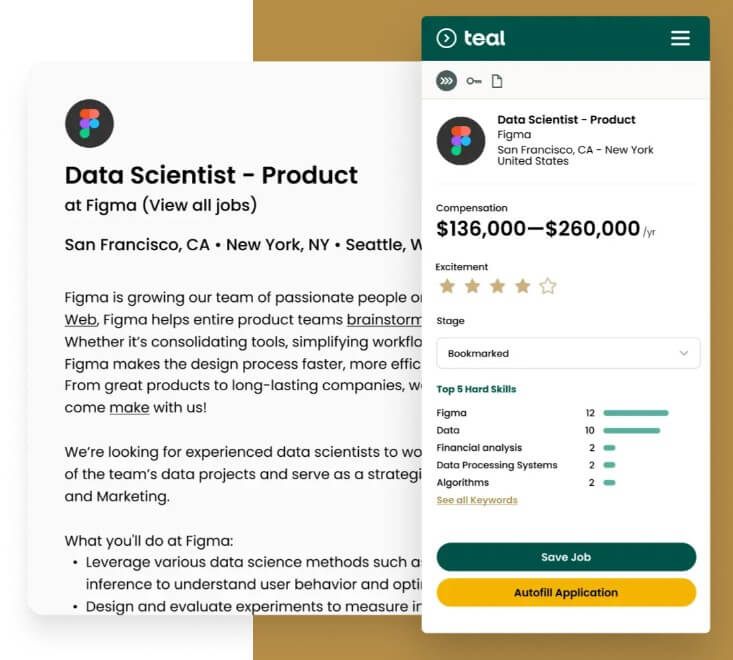
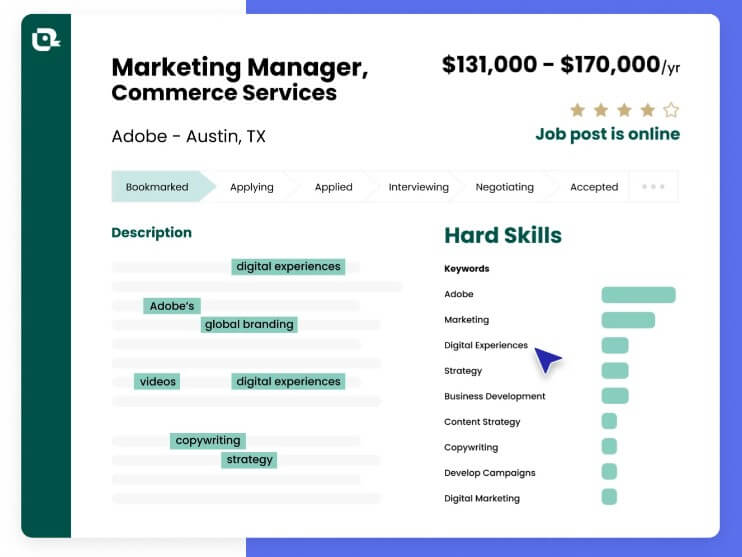
The Job Tracker is Teal’s second major strength. It lets users keep job opportunities, statuses, notes, contacts, and companies in one place. Teal describes the tracker as a way to bookmark jobs, rate excitement, review top keywords, add notes, and update application status from saved to negotiating and other stages.
The Chrome extension makes that workflow more useful because job seekers do not have to manually copy every posting into a spreadsheet. Teal says the extension can save jobs, track applications, and manage contacts from dozens of job boards, with insights around salary, skills, and match quality.
There is also a Super Search feature in the extension. Teal’s help center says Super Search lets users search for job titles across several job boards at once by entering a job title, optional location, and selected job boards.
This is where Teal feels less like a resume tool and more like a search dashboard. The limitation is browser fit. The extension is Chrome-focused and desktop/laptop-focused, so users who mainly search on mobile or in another browser will not get the full workflow benefit.
Teal also includes AI cover letter support. Its Cover Letter Generator uses the user’s resume and the job description to create a tailored draft, rather than relying on a generic template. Teal’s product page says the tool is built to pair the cover letter with the resume and actual job description so the application feels more cohesive.
This is useful when a role needs a short narrative: why this company, why this role, why your background fits. It is less useful when users accept the draft without editing. Cover letters are most effective when they sound specific. Teal can give you a starting point, but the final version still needs human judgment, especially for senior roles, career pivots, or applications where motivation matters.
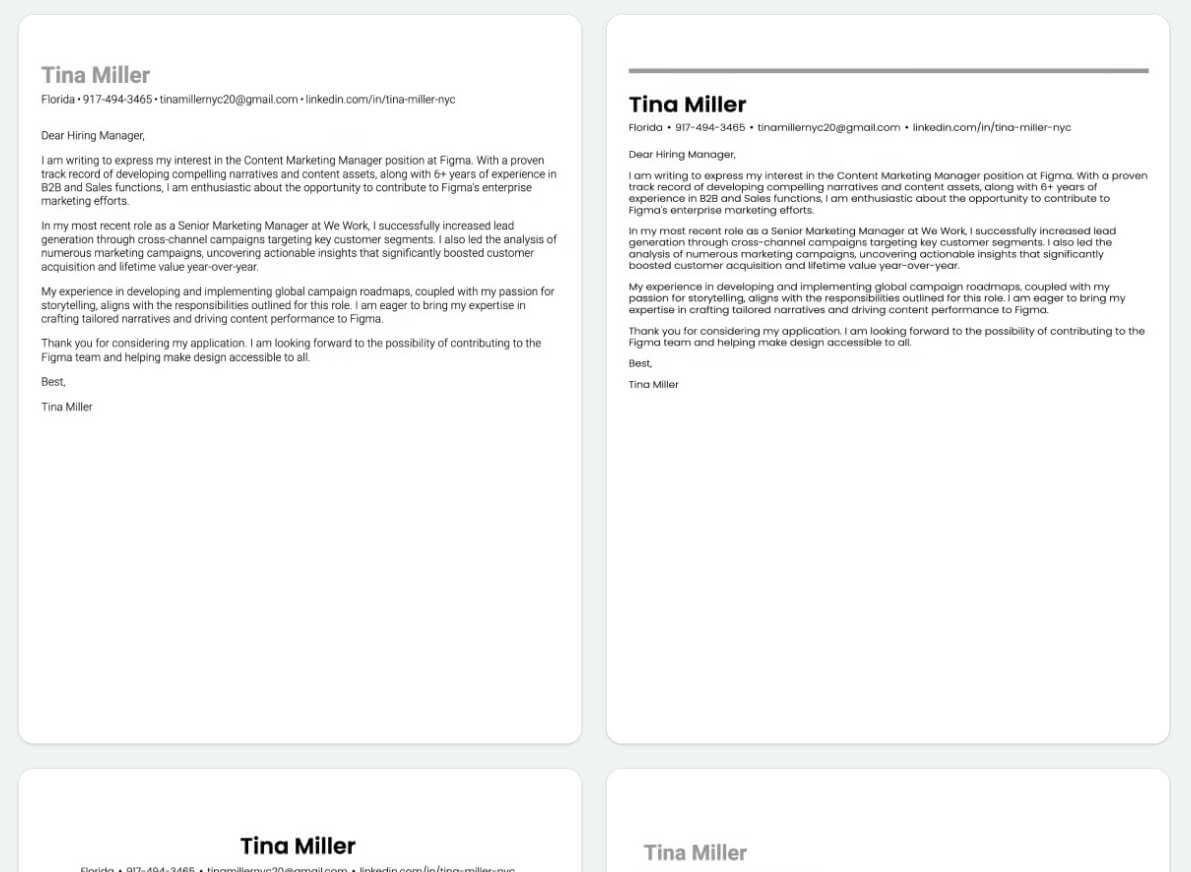
Teal has also expanded beyond resumes and tracking. Its tools hub lists career tools for resumes, cover letters, keyword scanning, bullet point generation, resume rewriting, LinkedIn-to-resume building, and job matching.
The AI Interview Practice feature is one of the more interesting additions. Teal says its AI Interview Agent can analyze saved job descriptions to create role-specific practice sessions, including screening, technical, and culture-fit interview types. The tool can use live transcription, adapt to responses, and provide feedback after practice. That makes sense as a later-stage workflow. Once a saved job turns into an interview, Teal can help users practice against the same role they were already tracking. It is not a replacement for real interview coaching, but it is a useful pressure-free rehearsal tool.
Teal’s workflow is practical, but it does require discipline. The platform works best when users save roles consistently, label stages accurately, tailor resumes per job, and keep notes after recruiter calls or follow-ups.
That is also the main difference between Teal and a simple resume builder. A resume builder helps you create a document. Teal helps you run a search. The dashboard, extension, saved jobs, and matching tools all encourage a more systematic process.
For beginners, this can be helpful because it adds structure. For users who already have a polished resume and a strong tracking system, Teal may feel more useful for matching and resume versioning than for general organization.
Teal is a strong fit for job seekers applying to many roles across similar categories, such as product, marketing, operations, sales, customer success, design, data, and business roles. It is also useful for career changers who need to translate existing experience into the language of a new role.
It works well for users who want to replace job-search spreadsheets, tailor resumes faster, keep track of contacts, and prepare for interviews tied to saved jobs.
It is less ideal for people who only need a visual resume template, users who apply to very few roles, or candidates in fields where portfolios, referrals, or direct networking matter far more than resume matching.
Teal can make applications more organized, but it cannot make weak experience look strong. The resume tools help present qualifications better; they do not create missing skills.
The AI writing features also need review. Resume bullets should include accurate results, real scope, and honest metrics. If users let AI over-polish their background, the resume can become vague or inflated.
Another trade-off is workflow commitment. Teal is most useful when you use the tracker, extension, matching tools, and notes together. If you only use one piece, the platform may feel less distinctive.
The Chrome extension limitation also matters. Users who prefer Safari, Firefox, mobile-first searching, or non-Chrome workflows will not get the same convenience.
Teal is best for job seekers who want a structured, AI-assisted way to manage the full job search, not just write a better resume. Its strongest value is the connection between saved jobs, resume matching, application tracking, cover letter drafting, and interview practice. It is a strong fit for active applicants, career changers, and professionals applying across several roles at once. The main caveat is that Teal works best as a disciplined system. The AI can speed up tailoring and organization, but users still need to make smart choices, edit carefully, and keep the application honest.
TAGS: Productivity
Related Tools:

Helps users create and manage their daily tasks

Provides tools for writing, image creation, coding

Assists users in finding available .com domain names

Syncs multiple calendars and automates scheduling

AI tool that automates scheduling

Designed to automate data analysis and preparation