

Share this tool:
 |
Description:
Flair AI is an AI product photography and branded content platform for eCommerce teams, agencies, retailers, and product-led brands. It helps users create product images, ads, product videos, on-model fashion visuals, and reusable branded templates without arranging a full photoshoot. Its main site describes a drag-and-drop canvas for staging scenes with props, templates, product content, and AI generation, with added support for product videos, marketing ads, fashion photoshoots, and AI human models.

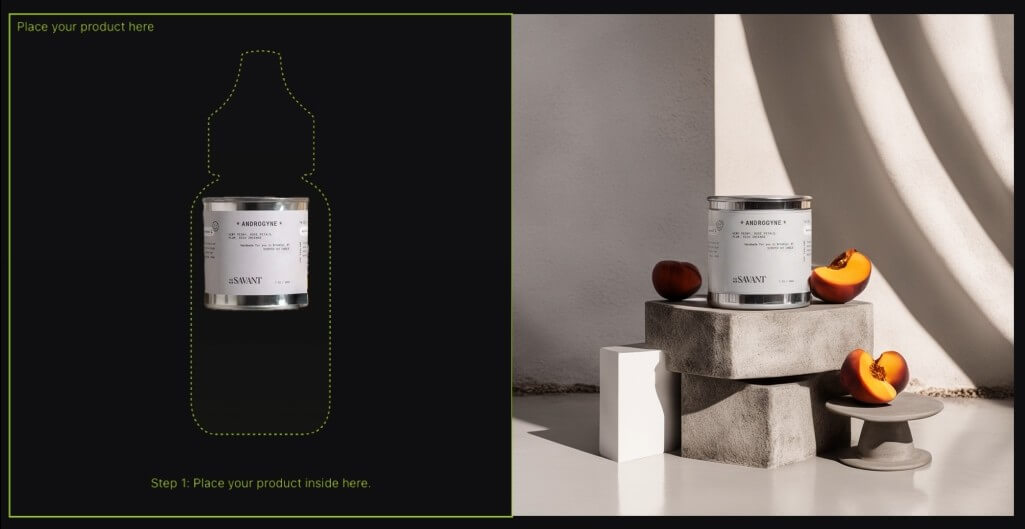

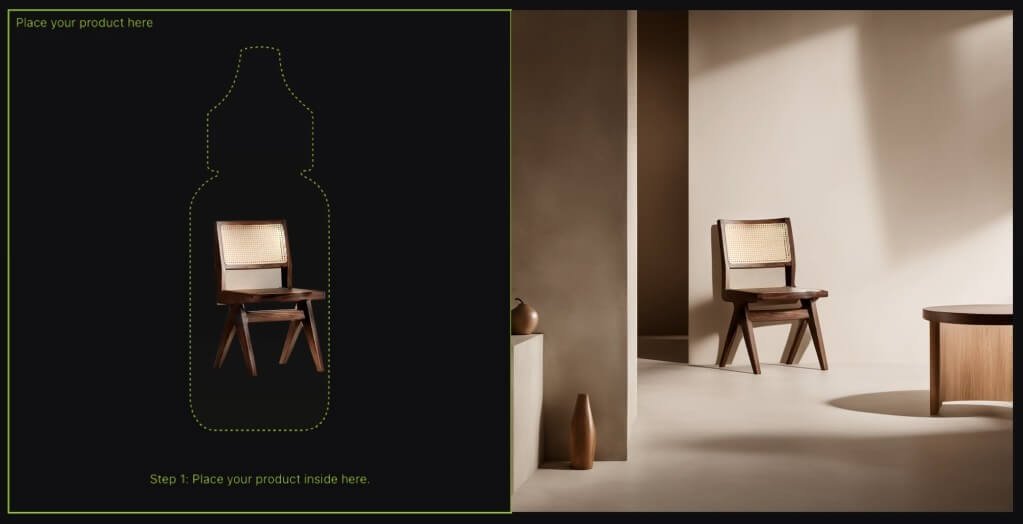
Flair’s strongest use case is branded product content at speed. It is not just a general image generator that happens to accept product photos. The platform is built around product staging, brand consistency, visual templates, and reusable content systems. Its homepage says users can create content that matches brand rules and aesthetic, stage scenes digitally with drag-and-drop props, mix products with templates, and build reusable templates at scale.
That matters for eCommerce. A brand rarely needs one attractive image. It needs a product page hero shot, social ad variations, seasonal campaign images, marketplace assets, email visuals, and sometimes on-model or video content. Flair’s value is that it treats product imagery like a repeatable marketing workflow.
It is strongest for beauty, fashion, jewelry, packaged goods, furniture, food, tech products, handbags, and other visual product categories. These are all categories Flair lists across its product pages and feature navigation, which suggests the platform is tuned around commercial product presentation rather than open-ended concept art.

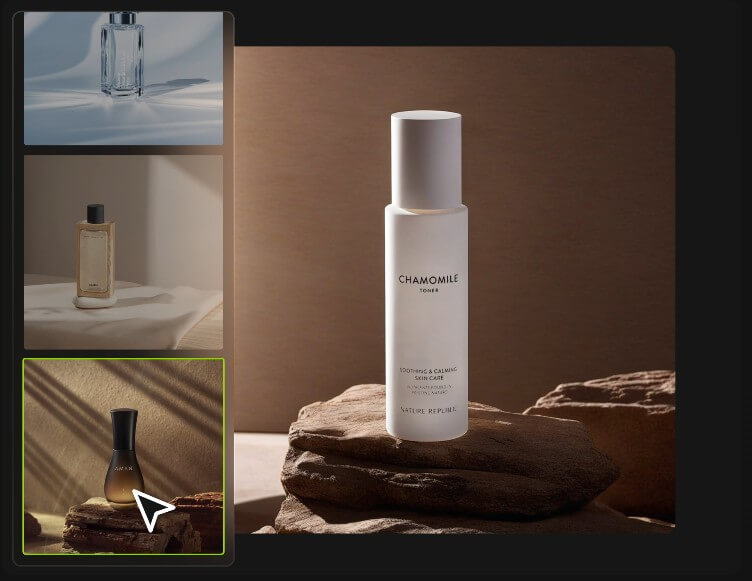

Flair’s workflow is more visual than a standard prompt box. You can use the canvas to stage a scene, start from templates, upload products, add props, use prompts, and then edit the generated output. That is a good match for marketers and designers who think in layouts, not just text descriptions.
The platform also separates image generation from image repair. That distinction is important. If an output is close but the product is distorted, the FAQ points users toward tools such as Regenerate Product. If the framing is wrong, Extend Image Dimensions can help. If the quality is weak, Enhance Image Resolution or Upscale can improve the asset.
This makes Flair more useful than a one-shot generator. Product content often needs revision. Packaging can warp. Logos can shift. Reflections can look unnatural. A platform with repair tools gives users a better chance of turning a promising output into something usable.
The main quality test for Flair is product fidelity. A product image can look polished and still fail if the logo changes, the packaging shape drifts, or the color no longer matches the real item. Flair appears aware of this problem. Its editing pages discuss product accuracy, background changes, product regeneration, enhancement, and professional-looking edits. The virtual try-on page also says the editing tools aim for product accuracy while supporting tasks such as removing backgrounds, enhancing colors, and regenerating product elements.
Control is strongest when users give Flair a clean input and a narrow brief. “Make this look premium” is weak. “Keep the product label unchanged, place it on a marble counter, use warm morning light, add soft botanical shadows, and leave empty space on the right” is much better.
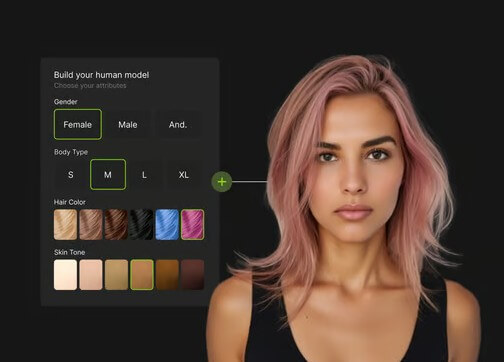
On-model results need extra review. Clothing, jewelry, handbags, and accessories can look convincing, but the product still needs to match the real item. For apparel, check pattern placement, seams, texture, logo position, fit, and scale.

- DTC product campaigns: Flair is a strong fit for brands that need polished product images for social ads, email campaigns, landing pages, and seasonal promotions.
- Beauty and skincare visuals: Bottles, jars, tubes, and cosmetics benefit from controlled lighting, clean surfaces, and repeatable branded scenes.
- Fashion and jewelry on-model images: Flair’s on-model workflow is useful when teams need model imagery without booking a shoot for every product variation.
- Ad creative testing: Teams can build multiple ad concepts from the same product and compare styles, angles, backgrounds, and campaign moods.
- Product videos for social: Flair’s product video workflow works well for short motion assets where a static product shot needs more energy.
- Agency production: Agencies can use templates, team workflows, and API options to create more product assets across clients without rebuilding every scene manually.
- Use high-quality product photos first. AI can improve presentation, but it should not be forced to guess the product’s real shape or label.
- Tell Flair what must not change. Mention packaging, label, logo, color, proportions, material, and product angle when those details matter.
- Use templates for consistency. If a brand has a known visual style, reusable templates are more efficient than writing a new visual direction every time.
- Review every commercial image before publishing. Look closely at claims, labels, logos, product shape, hand placement, fabric details, and scale.
- Create campaign sets, not single images. Flair is most useful when you generate variations for product pages, ads, email, social, and seasonal launches.
- Flair can reduce photoshoot work, but it does not remove the need for brand review. Product accuracy still matters, especially for packaging, apparel, jewelry, and regulated categories.
- Some outputs may need repair. The presence of tools like Regenerate Product, Fix Logo & Text, Change Camera Angle, and Magic Erase is useful, but it also shows that generation is not always final on the first pass.
- It may also be more tool than a casual seller needs. Flair is best when a brand creates visual content often. For one-off product photos, a simpler editor may be enough. For teams that need recurring product campaigns, on-model visuals, videos, and ad variations, the platform makes more sense.
Flair AI is best for eCommerce brands, agencies, and retailers that need branded product images, ad creatives, on-model visuals, and short product videos at a steady pace.
Its strongest advantage is the mix of prompt-based generation, visual scene staging, templates, and repair tools.
The main caveat is product fidelity: every output should be checked carefully before it goes into a live store, ad campaign, or marketplace listing.
TAGS: Marketing Generative Art
Related Tools:

Generative tool that creates images, animations, and artworks

Enhances customer discovery and market research

Simplifies social media account management
Automates messaging and customer interactions

Provides comprehensive business analysis

Automates creation of ad copy