
Share this tool:
 |
Description:
FakeYou is still one of the most recognizable “make this character say anything” AI voice tools, but the product is broader than that label suggests. The current platform centers on community-created text-to-speech voices, voice-to-voice conversion, lip-sync video generation, and a voice designer for creating your own AI voice from uploaded audio. That mix makes it more than a meme generator, but it still feels much more like a creative voice playground than a polished enterprise audio platform.
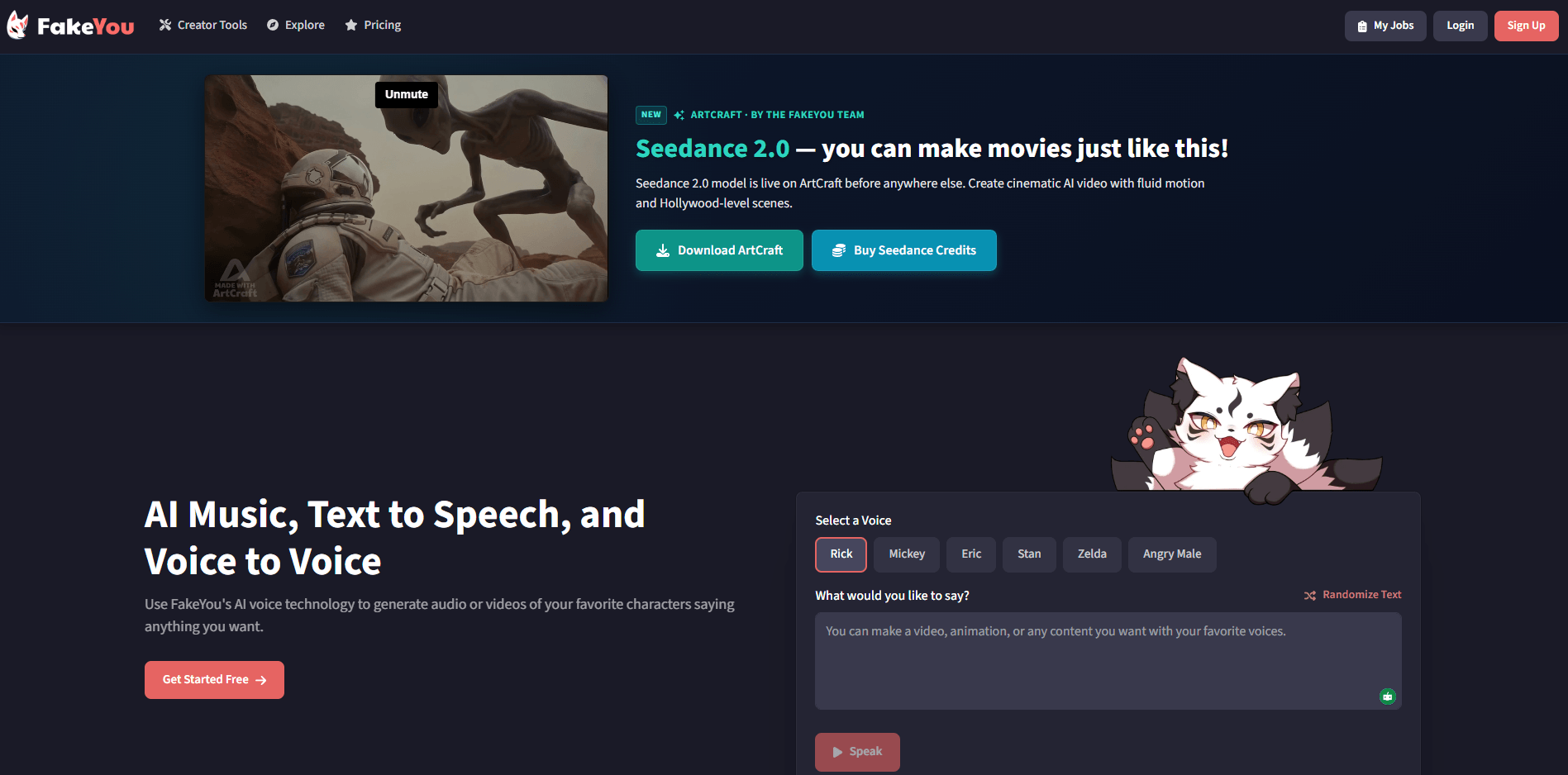
FakeYou’s TTS platform advertises over 3,500 voices trained and shared by its community.
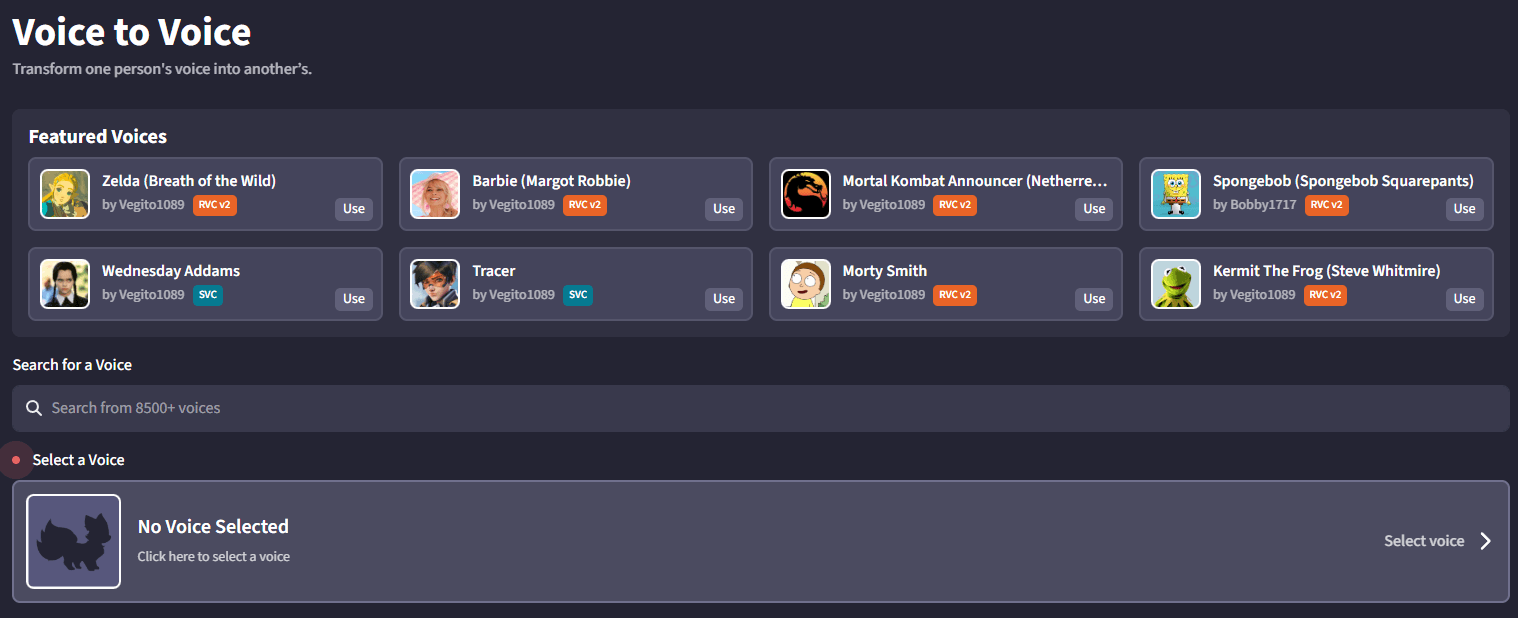
The voice conversion tool transforms one person’s voice into another and includes pitch control plus other settings for tuning the result.
FakeYou offers a lip-sync tool that animates characters to match generated or selected audio.
Voice Designer lets users create an AI voice by providing audio files of the voice they want to clone.
Users can contribute models and, according to the contribution page, get credited for what they add and receive queue priority.
FakeYou maintains API docs, and the docs snippet explicitly references model lookup and TTS request flows.
FakeYou is strongest when the goal is recognizable character-style output, not pristine commercial narration. Its biggest differentiator is the size and nature of the library: the text-to-speech product is positioned as a community-powered platform with over 3,500 voices created and shared by users, which gives it far more pop-culture and fan-project range than most ordinary TTS tools.
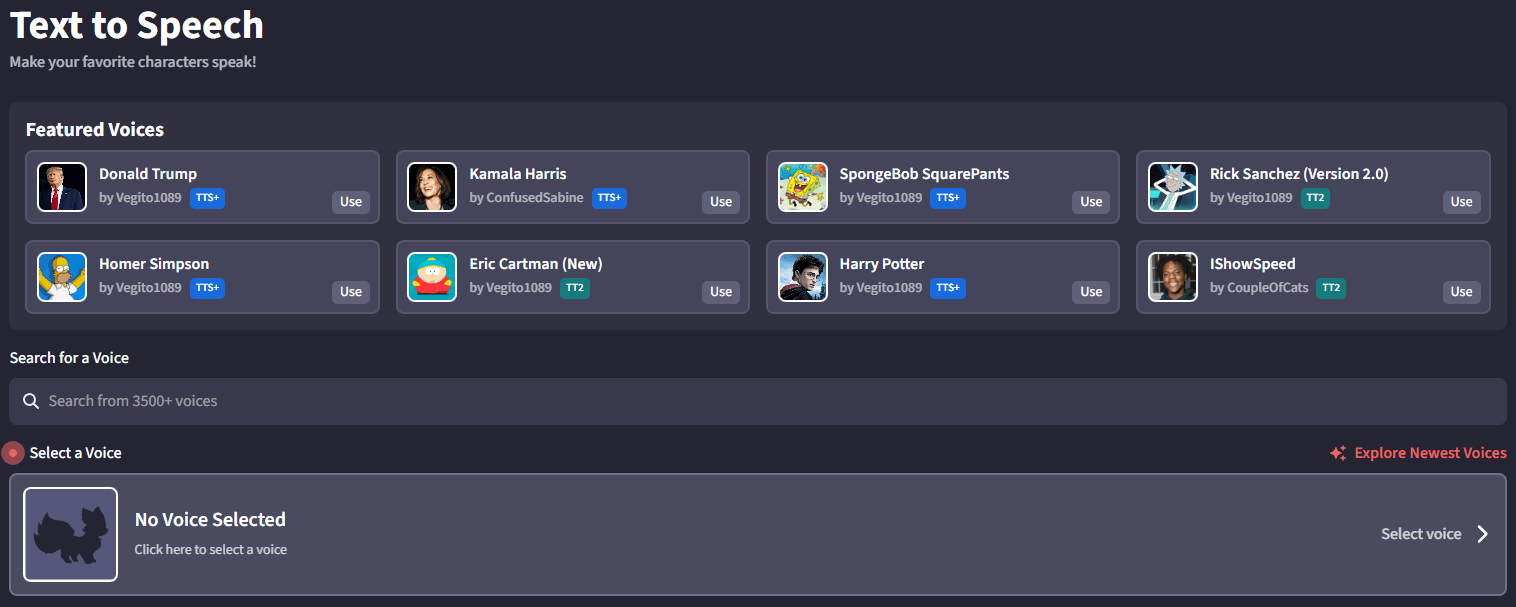
That matters because FakeYou is not really competing on “best neutral narrator voice.” It is competing on breadth, recognizability, and play value. If you want parody dialogue, fan dubs, rough concept voiceovers, comedic clips, or a fast way to test how a line sounds in a fictional or celebrity-like voice, FakeYou makes more sense than tools built mainly for corporate training, accessibility reading, or polished brand narration. The site itself leans into celebrity, character, and video-style creation rather than professional voiceover framing.
At the surface level, FakeYou is easy to understand. You pick a voice, type your text, generate audio, and optionally push that result into another tool such as lip sync. That low-friction flow is a big part of the product’s appeal, especially for hobby users and creators making short-form content. The site presents text-to-speech, voice conversion, and lip sync as separate but adjacent tools, which keeps the overall experience fairly readable.
The second layer is voice conversion. This is where FakeYou starts becoming more interesting than a pure text box. Instead of only generating speech from text, it also lets you transform one voice into another, with pitch control and related settings. That makes it more useful for covers, fan dubbing, and creator experiments where the delivery already exists and the goal is to change the identity or character of the voice.
The third layer is video. FakeYou’s lip-sync tool is one of the reasons the platform still feels distinct. It turns generated or selected audio into speaking-character clips, which is a much more complete creative loop than basic text-to-speech alone. The trade-off is that both lip sync and voice creation appear to require login, so some of the more interesting parts of the platform sit beyond the simplest anonymous browsing experience.
The first thing to understand about FakeYou’s quality is that the voice library is community-created. That is the source of its biggest strength and one of its biggest weaknesses. The strength is obvious: you get a wide range of unusual voices, fandom-specific voices, and hard-to-find character styles. The weakness is that quality, consistency, and model freshness are likely to vary a lot from voice to voice because the site is built around user-submitted models rather than one tightly controlled studio library. The terms page explicitly says the machine learning models and content are user-submitted.
That means FakeYou is better treated as a browse-and-test platform than a “trust every voice equally” platform. Some models will land surprisingly well. Others will sound rough, unstable, or too synthetic for serious production. That unevenness is not accidental. It is part of the product’s design. The library is broad because the platform is open to community contribution, not because every voice has been normalized to the same professional standard.
Control is better on the voice-conversion side than many casual users expect. The official conversion page highlights pitch control and other tuning settings, which gives users at least some ability to push a result closer to the tone or register they want. But this is still a creator-focused workflow, not a full studio environment with deep editing, transcript repair, pronunciation management, or enterprise-grade delivery controls.
FakeYou is a strong fit for fan creators, meme makers, parody audio, and fictional-character experiments. The size of the community library is the main reason. A normal voice platform can sound better overall and still be less useful for these jobs if it does not have the right character identity available.
It also works well for rough concept voiceovers and comedic prototyping. If you want to hear how a script lands in a recognizable character-like voice, or you want to mock up an idea before hiring a human actor or moving into a more polished tool, FakeYou is practical. The text-to-speech plus lip-sync combination is especially useful for lightweight social content and animated bits.
There is also a case for voice conversion hobby work, especially covers, impersonation-style transformations, and creator remixes. FakeYou’s voice-to-voice workflow is clearly positioned for that kind of use, and the emphasis on pitch control reinforces that it is meant for iterative, hands-on experimentation rather than single-click perfection.
This is one of the tools where the terms are not background noise. FakeYou’s terms explicitly say the company does not condone impersonation, deception, slurs, abuse, or unlawful use, and they state that published usages must be labeled as “deep fake.” The same page also says users may not use FakeYou deepfakes for commercial use unless otherwise stated and only with specially denoted commercial voices.
That matters a lot for evaluating the product. FakeYou may be fun and highly flexible for community and parody use, but it is not a good “default business voice platform” if your project needs broad commercial clarity and clean rights assumptions. Even when the voice output is good enough, the usage rules are a real operational boundary.
The terms page also says the generated audio is watermarked. That is another sign that FakeYou sees itself as a deepfake platform that needs guardrails, not just a neutral TTS utility.
- Use FakeYou for recognizable or unusual voices first, not for your most quality-sensitive narration. Its edge is the voice catalog, so start with the kind of job where voice identity matters more than pristine delivery.
- Treat FakeYou as a test-and-select platform. Because the models are community-created and user-submitted, you will get better results by auditioning several voices than by assuming the first match is the best one.
- Use voice conversion when you already have performance energy you want to preserve. Use standard TTS when you only have text. FakeYou supports both, and they solve different creative problems.
- Plan around the labeling and commercial-use rules before you publish anything important. FakeYou’s own terms are stricter and more explicit than many users expect.
- The biggest limitation is inconsistency. FakeYou’s strength comes from a community-created library, but that same openness means output quality can vary a lot across voices. This is not the kind of platform where a giant library automatically means a uniformly good library.
- The second limitation is control depth. FakeYou has voice conversion settings and a broader toolset than many people realize, but it still does not present itself like a heavy production suite. There is no obvious sign from the official product pages that it is trying to compete on the deeper workflow layers that matter in premium dubbing, enterprise narration, or full localization systems.
- The third limitation is rights clarity for business use. The terms are very clear that deepfakes are not for commercial use unless specially allowed through denoted commercial voices, and published uses must be labeled as deep fake. That is a serious boundary, not a minor footnote.
- And finally, some of the more interesting features sit behind account gates. The lip-sync and voice-design pages both indicate login is required, so the product’s most complete workflow is not fully available from casual browsing alone.
FakeYou is still one of the most useful AI voice tools for character-driven audio, parody clips, fandom projects, and community-made voice experimentation because its library breadth is the point. Text-to-speech, voice conversion, lip sync, and voice design give it more creative range than a simple meme generator, and that is why it remains relevant.
It is best for creators, hobbyists, and fan communities who care more about recognizable voice identity than polished studio consistency. The main caveat is that FakeYou is a deepfake platform with uneven quality and explicit usage limits, so it works best as a creative playground, not as a default professional voice infrastructure layer.
TAGS: Text to Speech
Related Tools:

Transforms written texts to voiceovers

Simplifies PDF editing and conversion

Automates video dubbing and translation

Converts texts to podcasts

Translates text and speech between languages

Enables users to create audio content