

Share this tool:
 |
Description:
Echonote is a voice-to-notes productivity tool that records or uploads audio, transcribes it, and turns spoken thoughts into structured notes, to-do lists, and custom writing formats. Its best use is not raw transcription alone. The stronger value is helping users speak freely first, then let AI organize the result into something usable.
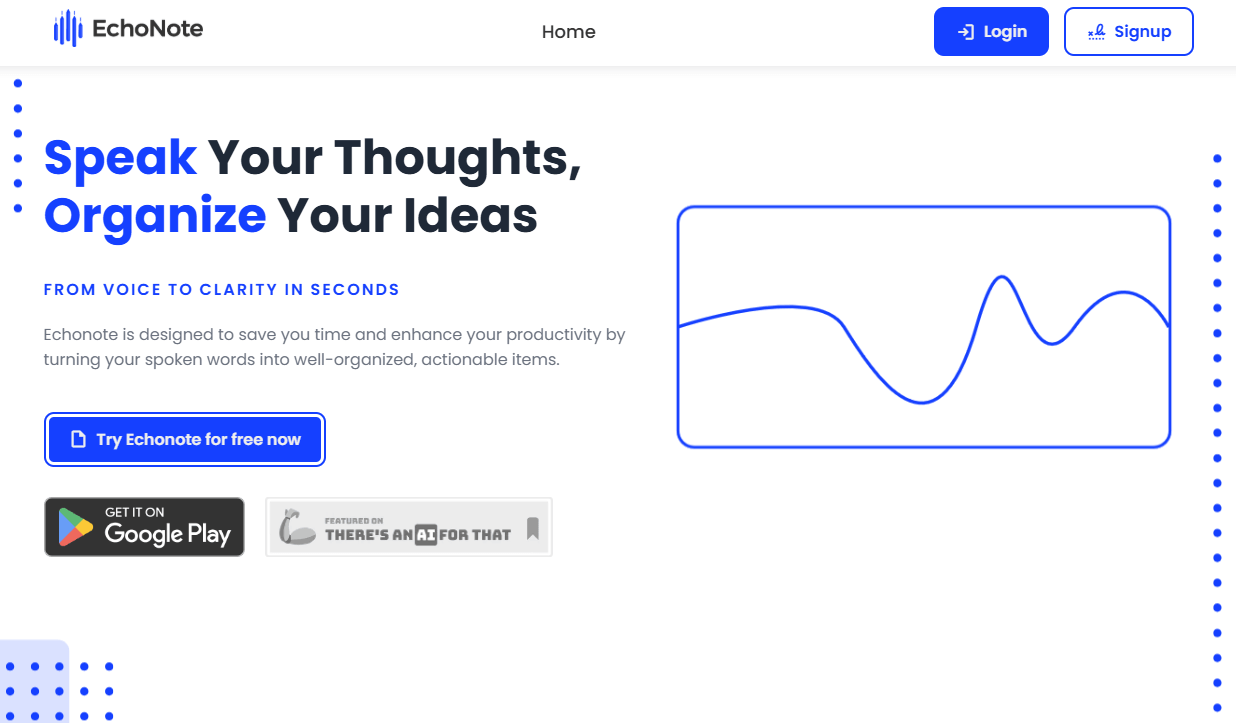
Converts voice recordings into organized written notes instead of leaving users with raw speech-to-text only.
Turns spoken thoughts into actionable task lists, which is useful for planning, meeting follow-up, and idea capture.
Lets users shape transcriptions into tailored formats such as reports, blog posts, or other content types.
The official terms identify Whisper and GPT as the AI systems used for transcription and note generation.
Supports short browser-based transcription for formats like MP3, M4A, WAV, AAC, OGG, and FLAC, with 50+ language claims on the tool pages.
Users can access, manage, and delete audio files and associated notes through their account, according to the terms.
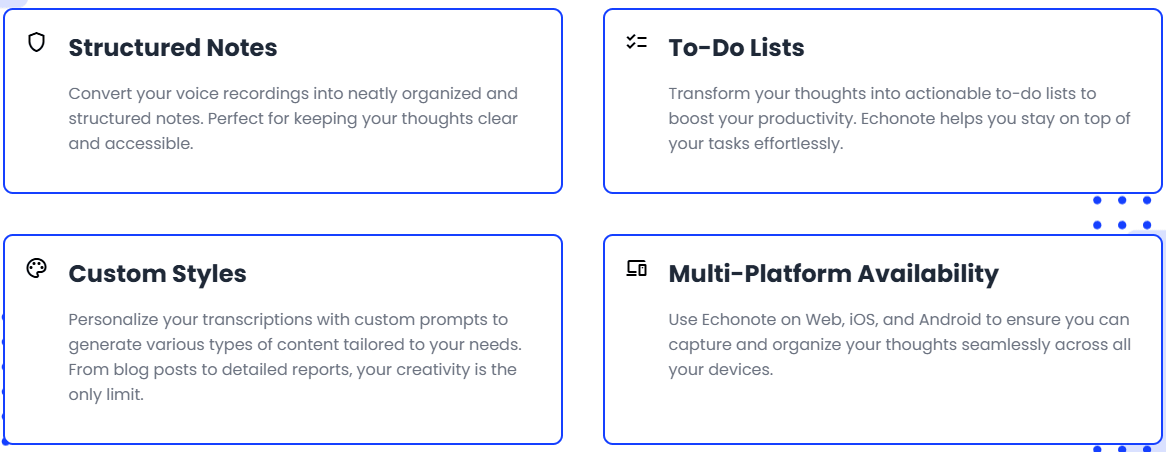
Echonote is a web-based AI application for recording audio and converting it into written notes, to-do lists, and personalized notes. Its terms specifically say it uses OpenAI Whisper and GPT for transcription and note generation, which gives a clearer picture of the product than the homepage alone.
The core workflow is simple: speak freely, let the AI process the recording, then receive the output in a preferred format such as structured notes or a custom style. The homepage describes Echonote as a way to turn spoken words into organized, actionable items, with features for structured notes, to-do lists, custom styles, and multi-platform availability.
That makes Echonote closer to RambleFix or YapThread than to a meeting-bot tool like Otter. It is designed for personal capture, idea organization, task extraction, and voice-driven writing. It can support meetings, but its public product pages focus more on recording thoughts and turning them into clear outputs than on joining calendar meetings automatically.
Echonote is strongest when the user wants to capture ideas quickly without typing. This is the classic “I know what I want to say, but I do not want to write it yet” workflow. You speak naturally, then the tool converts that messy speech into structured notes or task lists.
Its second strength is flexibility. Custom styles let users personalize transcriptions into different content formats, including blog posts and detailed reports. That makes Echonote more useful than a literal voice recorder, because the output can become a formatted draft rather than a plain transcript.
Its third strength is lightweight transcription access. Echonote also provides browser-based transcription tools for individual file types, including MP3 and M4A. These tools advertise no-registration transcription, 50+ language support, and short file processing up to 5MB and 5 minutes. That gives users a quick way to test basic transcription before committing to the full app workflow.
The main Echonote workflow is built around low-friction capture. The homepage presents the process as four steps: speak freely, let AI process the recording, receive notes in the selected format, and use the result as structured notes or a custom output. That makes it approachable for non-technical users.
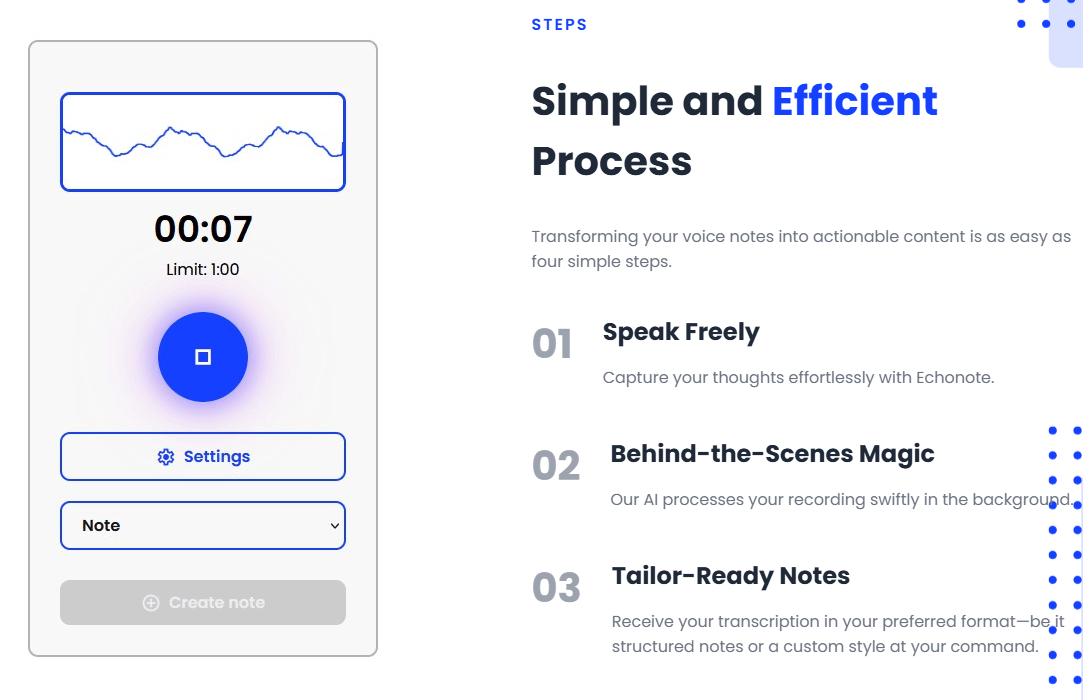
The useful detail is that Echonote does not frame the output as “just a transcript.” It emphasizes organized notes, to-do lists, and custom styles. That makes the tool better suited to people who want usable writing or task structure from voice, not necessarily a verbatim record.
The free file converters are even simpler. For MP3 and M4A, Echonote describes a three-step flow: upload the file, let AI process it, then copy or download the transcript. Those tools are limited to short files, but they are useful for quick voice memos, short lectures, or small interview clips.
Echonote’s output quality should be judged in two layers. The first layer is transcription accuracy. Since the terms say the system uses OpenAI Whisper for transcription, the underlying speech-to-text engine is a serious foundation. That said, accuracy will still depend on audio quality, speaker clarity, background noise, accents, overlapping speech, and specialized terminology.
The second layer is transformation quality. GPT is used for note generation, which is where Echonote turns raw speech into structured notes, to-do lists, or custom formats. This is the more important layer for everyday productivity because most users do not want a literal transcript of every “um,” pause, and repeated thought.
This also means human review still matters. A cleaned-up note can sound more organized than the original recording, but the AI may compress nuance, reorder emphasis, or miss a small but important detail. Echonote is best treated as a fast first-pass organizer, not a final authority for legal, medical, financial, or sensitive professional notes.
Echonote has two visible layers: the main app and the free format-specific transcription tools.
| Layer | Best For | What Matters |
|---|---|---|
| Free transcription tools | Quick short-file transcription | MP3/M4A and other file tools advertise 5MB / 5-minute limits, 50+ languages, and browser-based conversion. |
| Main Echonote app | Ongoing voice-note organization | The app records audio, converts it into notes/to-do lists/personalized outputs, and lets users manage audio and notes in an account. |
| Custom styles workflow | Content and formatted note creation | Useful when the output should become a report, blog post, task list, or another structured format. |
The free tools are good for testing transcription quality and handling small one-off files. The main app is the better choice when you want recurring voice capture, saved notes, task extraction, and custom output formats.
Echonote’s privacy policy is more specific than many lightweight AI tools. It says the service collects personal information, voice data, generated notes, usage data, analytics data, and authentication data. It also says audio files and transcripts are sent to OpenAI for processing, while Stripe handles payment transactions and Echonote does not store payment details.
The terms say audio files and notes are stored securely on Echonote servers by default, but users can disable automatic audio file saving. Users can also access, modify, or delete their account and associated data, and account deletion permanently erases the data from Echonote’s systems.
That is useful, but privacy-sensitive users should still be careful. Echonote uses analytics tools including Google Analytics, Facebook Pixel, and TikTok Pixel, and the privacy policy says data may be shared with trusted partners and service providers when needed to operate the service. For everyday personal productivity, that may be acceptable. For confidential client calls, medical notes, legal matters, or sensitive internal strategy, users should review the policy carefully before uploading.
- Personal voice-note capture: Echonote is a strong fit for users who think out loud and want spoken ideas turned into clean notes quickly.
- Task and planning sessions: The to-do list feature makes it useful for turning rambling plans into concrete next steps.
- Students and lecture notes: Short audio transcription tools and structured-note output can help with class recordings, study notes, and revision material, especially for shorter clips.
- Writers and creators: Custom styles are useful when a spoken idea needs to become a blog post, report, draft, outline, or content brief.
- Professionals who hate manual notes: Echonote works well for quick meeting reflections, project planning, follow-up notes, and internal thinking, especially when the goal is clarity rather than a perfect transcript.
- Use Echonote when you want organized output, not a verbatim transcript. If every exact word matters, review the transcript carefully before relying on the AI-generated notes.
- Use custom styles deliberately. A “blog post,” “client follow-up,” “project plan,” and “to-do list” should not all use the same structure. Echonote’s custom-style feature is one of the best ways to get more useful output from the same recording.
- Start with short recordings. Even if the full app supports longer workflows after sign-up, the public free transcription tools are clearly optimized around short files up to 5MB and 5 minutes. That is a good way to test transcription quality without overloading the workflow.
- Check the save-audio setting. The terms say audio and notes are stored by default, but automatic audio file saving can be disabled. That is worth adjusting early if you care about minimizing stored voice data.
- Do not skip review on important outputs. AI-generated to-do lists and summaries are useful, but dates, names, deadlines, assignments, and decisions should still be checked against the original recording.
- The first limitation is pricing transparency. Echonote clearly has a free entry point and subscription billing, but the public site does not show a detailed current pricing table. That makes it harder to compare value against tools like RambleFix, Otter, Scribewave, or YapThread before signing up.
- The second limitation is workflow depth. Echonote is good for voice-to-notes and task extraction, but the public pages do not show deeper team features such as calendar meeting bots, CRM sync, project channels, shared meeting libraries, or collaborative review systems.
- The third limitation is that AI transformation can change meaning. Turning a rambling recording into structured notes is useful, but the model may simplify, reorder, or soften details. Important outputs should be reviewed before being sent or stored as a final record.
- The fourth limitation is privacy sensitivity. Echonote processes audio and generated notes through external service providers and uses analytics tools. Users working with confidential, regulated, or client-sensitive recordings should read the privacy policy and disable audio saving where appropriate.
- The fifth limitation is source audio quality. Whisper is a strong transcription engine, but poor microphones, noisy rooms, overlapping speakers, heavy accents, and specialized vocabulary can still reduce accuracy.
Echonote is a practical voice-to-notes tool for people who want to speak first and organize later.
Its strongest qualities are structured notes, to-do lists, custom styles, Whisper-based transcription, GPT-based note generation, account-based note management, and simple short-file transcription tools. It is best for personal voice capture, planning, student notes, creator drafts, meeting reflections, and professionals who want quick structure from spoken thoughts.
The main caveat is that Echonote is not a full meeting assistant or enterprise transcription platform. It is strongest as a personal productivity tool for turning voice into usable notes and tasks. For high-stakes transcripts, team meeting intelligence, or sensitive professional workflows, users should review outputs carefully and check privacy settings before relying on it heavily.
TAGS: Speech to Text Productivity
Related Tools:
Captures, summarizes, and organizes your notes and recordings

Streamlines creation of business plans

Summarizes articles on the web

Automates post-meeting tasks by listening to conversations

Automates captioning and video translations

Integrates Chat-GPT into web browsing