

Share this tool:
 |
Description:
Caspa AI is an AI product photography platform for ecommerce brands, sellers, agencies, and small businesses that need more product visuals without organizing a full studio shoot. It helps users turn product images into studio shots, lifestyle photos, product-with-model images, infographics, A+ content, social assets, and edited marketing visuals. Its core value is speed and consistency: upload a product, place it in better scenes, add models or backgrounds, clean up the image, and create more listing-ready content from one workspace.
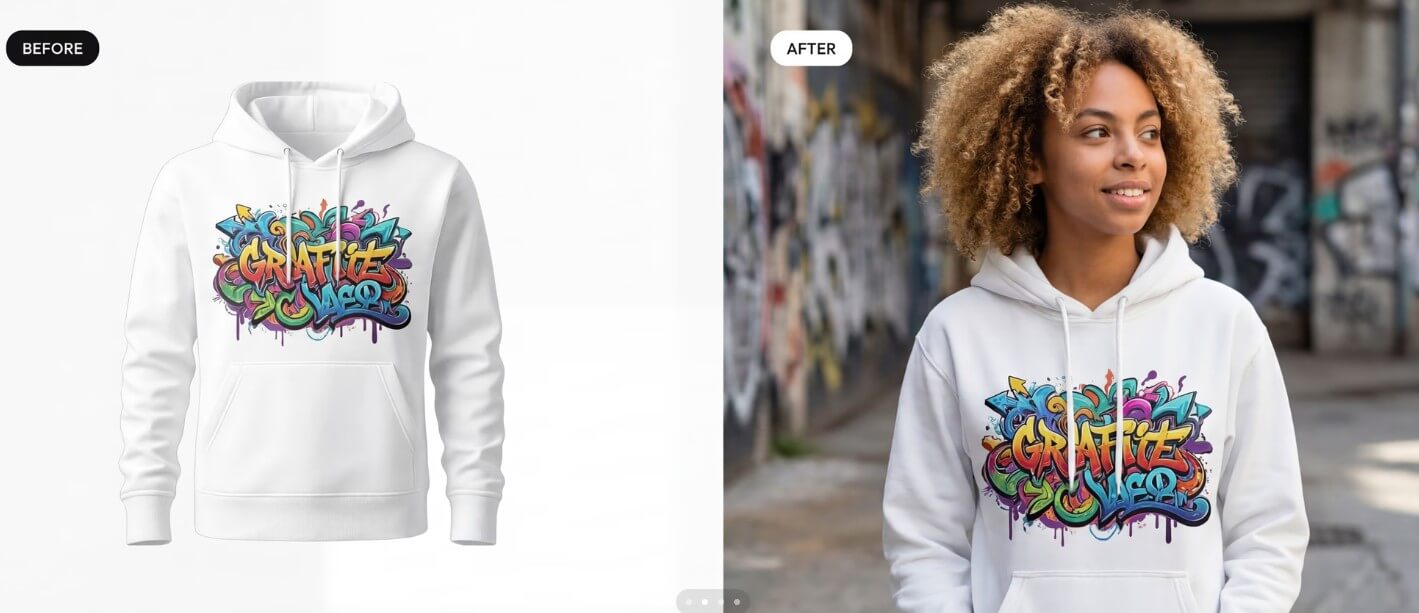

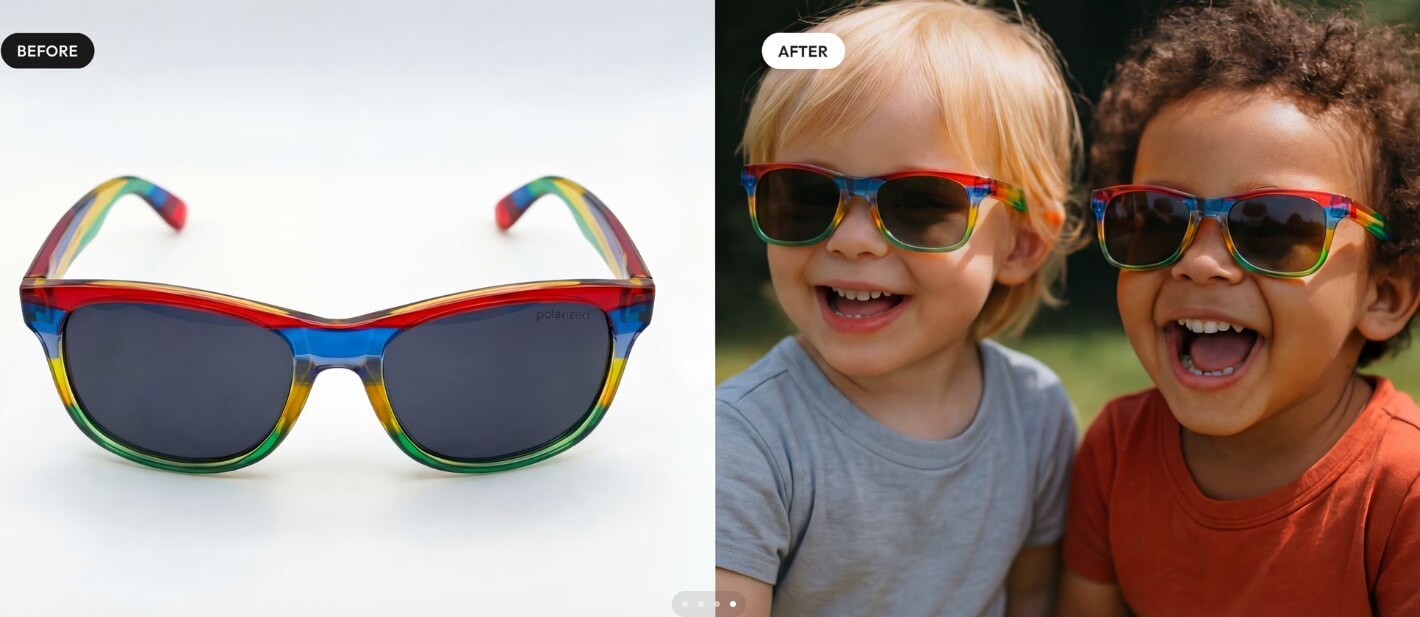
Caspa AI is strongest when a product already exists but the visual library is thin. Many ecommerce teams have a few plain product shots, but not enough images for marketplaces, ads, social posts, seasonal campaigns, email graphics, and product pages. Caspa aims to fill that gap by generating product photos and videos, while keeping product details such as text, patterns, and logos consistent.
That consistency point matters. Product photography is not the same as general AI image generation. A good image is not enough if the logo changes, the pattern gets distorted, or the product shape drifts. Caspa’s positioning is built around ecommerce usefulness, not just attractive AI scenes.
| Workflow Area | What Caspa AI Helps With |
|---|---|
| Product photo creation | Generate clean studio-style and lifestyle product images from uploaded product visuals. |
| Human and animal models | Place products with AI human models, different ethnicities, and even animal models where relevant. |
| Listing content | Create product listing visuals, infographics, and Amazon-style A+ content. |
| Multi-product scenes | Combine multiple products into a single image or video for bundles and lifestyle setups. |
| Editing | Use tools such as background removal, magic erase, and upscaling instead of moving between several apps. |
| Templates | Start from curated templates for product posts, infographics, ads, and ecommerce visuals. |
The workflow is practical because it follows how sellers need images. They do not only need one “hero” shot. They need product-on-white, product-in-use, benefit graphics, model shots, social crops, and sometimes multiple versions for testing. Caspa is built around that fuller content stack.
Caspa’s most important promise is product preservation. The site highlights “Text, Pattern & Logo Consistency,” which means the AI is intended to understand small product details rather than treating the uploaded item as a loose visual reference.
This is useful for categories where detail is part of the sale: apparel graphics, snack packaging, skincare labels, jewelry sets, glasses, accessories, furniture, and branded consumer goods. If a product image changes too much, the visual becomes risky for sales. Customers need to see what they are buying.
Users should still inspect every output. AI product tools can improve the speed of content creation, but brand marks, label text, stitching, proportions, and packaging details should be checked before use on a product page or ad.
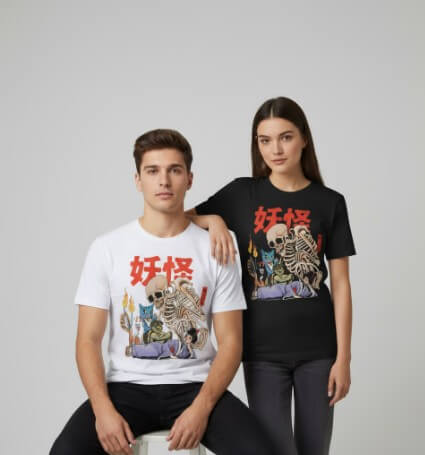
One of Caspa’s more useful features is the ability to place products with AI human models. The platform says users can have people interact with products, use different ethnicities, and test imagery for different demographics.
This is valuable for fashion, accessories, fitness products, beauty items, home goods, kids’ products, and lifestyle brands. A flat product image can show what something looks like. A model image can show scale, context, fit, and emotional use. That can make a product page feel more complete.
The main caveat is realism. Human-model images need careful review, especially around hands, contact points, fit, shadows, and product interaction. A scarf, necklace, mug, jacket, or bottle has to sit naturally in the scene. If the human model looks polished but the product placement feels off, the image can hurt trust.

Caspa is not limited to lifestyle images. It also supports optimized infographics and A+ content for ecommerce listings, including Amazon-style visual sections.
This is where Caspa becomes more useful than a pure photo generator. Ecommerce images often need to explain, not just decorate. A good listing uses visuals to show benefits, size, materials, usage, ingredients, care instructions, bundle contents, and product differences. Caspa’s template and infographic angle can help sellers build those supporting assets faster.
The quality of the final asset will still depend on the input. Users should bring accurate product claims, concise copy, and a clear hierarchy. AI can help assemble the visual, but it should not invent claims about durability, ingredients, compliance, or performance.



Caspa also includes editing tools for background removal, magic erase, custom AI stock photos, and upscaling. Its own blog describes the platform as handling product visuals from ultrarealistic shots with human models to editing existing photos, including background removal and upscaling.
This matters because product content work is rarely one step. A seller may need to remove a cluttered background, place the product on a cleaner surface, erase unwanted objects, enlarge the image, create a social variation, and then turn the same product into a listing graphic. Caspa’s value increases when those steps stay in one place.
It is also helpful for small teams that do not have a dedicated designer. A founder or ecommerce manager can produce usable visual directions without opening Photoshop for every small edit.


Caspa AI is a strong fit for Shopify stores, Amazon sellers, Etsy-style product businesses, DTC brands, ecommerce agencies, dropshipping teams, and small businesses that need regular product visuals.
It works especially well for fashion accessories, skincare, home goods, packaged food, jewelry, furniture, pet products, gifts, supplements where allowed by platform policy, and consumer products that benefit from lifestyle context.
The strongest workflows include generating product-on-model shots, building seasonal campaign visuals, creating product bundles, refreshing old listing photos, making Amazon A+ content, producing infographics, testing ad creatives, creating social media product posts, and building a more complete Shopify product gallery. Caspa’s Shopify product photography page specifically emphasizes uploading product images, selecting templates, generating lifelike human models, and refining visuals with editing tools.
- Caspa AI may disappoint users who expect every generated photo to be ready for publication without review: AI product photography still needs quality control. Product proportions, small text, logo placement, shadows, reflections, fabric behavior, and human interaction can all require checking.
- It may also be less useful for brands that need legally sensitive product accuracy, regulated claims, or high-end campaign photography with strict art direction: In those cases, Caspa can help with drafts, variants, and ecommerce support assets, but a human photographer, designer, or retoucher may still be needed for final hero campaigns.
- Another trade-off is creative control: Templates and AI tools make production faster, but they can also lead to similar-looking visuals if users rely too much on presets. Brands should define their visual rules first: lighting, backgrounds, model type, crop style, typography, color palette, and what should never change about the product.
- Start with the cleanest product photo you have. Better source images usually make product preservation easier.
- Use Caspa first for listing gaps: missing lifestyle shots, model shots, infographic panels, and seasonal versions.
- Check product details at full size before publishing. Look closely at labels, logos, stitching, materials, and shadows.
- Create a small batch of variations rather than one perfect image. Ecommerce teams often learn more from testing several strong directions.
- Keep claims factual. Use AI to design the graphic, not to invent benefits.
Caspa AI is best for ecommerce teams that need more product visuals without building a full photo production pipeline for every campaign.
Its strongest value comes from combining AI product photography, human-model scenes, multi-product images, infographics, A+ content, templates, background removal, magic erase, and upscaling in one workflow.
The main caveat is quality control. Caspa can speed up product content creation, but sellers still need to review accuracy, preserve brand details, and choose visuals that feel credible enough for real customers.
TAGS: Marketing Generative Art
Related Tools:

Removes harmful content to protect a brand’s online reputation

Enables blending of multiple images

Creates profile pictures from pictures

Enhances digital media

Turns photos or text into dream-like artworks

Turns your 3D scenes into high-quality realistic renders