

Share this tool:
 |
Description:
Aviator is an engineering productivity platform for teams that have outgrown basic GitHub workflows. It focuses on the hard parts of shipping software at scale: review bottlenecks, merge conflicts, broken builds, flaky tests, stacked PRs, release tracking, and now AI-generated code verification. Its best fit is not a small team merging a few PRs a week. Aviator becomes more useful when engineering velocity is high enough that review queues, CI time, and release coordination start slowing everyone down.
Aviator is a workflow layer on top of source control, CI, and deployment systems. It does not replace GitHub, your CI provider, or your deployment pipeline. Instead, it coordinates the work around them: who should review what, when a PR is safe to merge, how stacked changes move through review, whether CI failures are meaningful, and where a change sits in the release process.
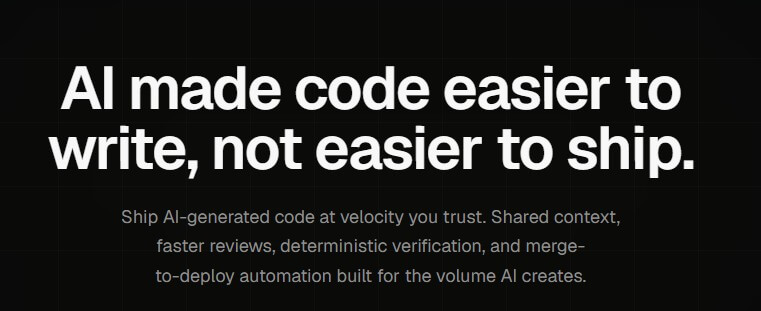
The product now covers several connected areas: Inbox for personal PR triage, Team Reviews for reviewer routing, Verify for intent-based validation of code changes, MergeQueue for keeping main green, Releases for deployment tracking, Runbooks for AI-assisted coding workflows, and an open-source stacked PR CLI. Aviator’s homepage describes the broader goal as helping teams handle the volume created by AI-generated code with shared context, faster reviews, deterministic verification, and merge-to-deploy automation.
That framing matters. Aviator is not just a merge queue company anymore. It is becoming a developer experience platform for teams trying to ship quickly without letting review quality, CI reliability, or deployment safety collapse.
Aviator is strongest for engineering teams with busy repositories, monorepos, long CI runs, many reviewers, or frequent release pressure. In those environments, GitHub’s default PR list can become too flat. Every PR looks similar, but the real urgency is different: one PR is a hotfix, one blocks three stacked changes, one needs a code owner, one is stale, and one is only waiting on CI.
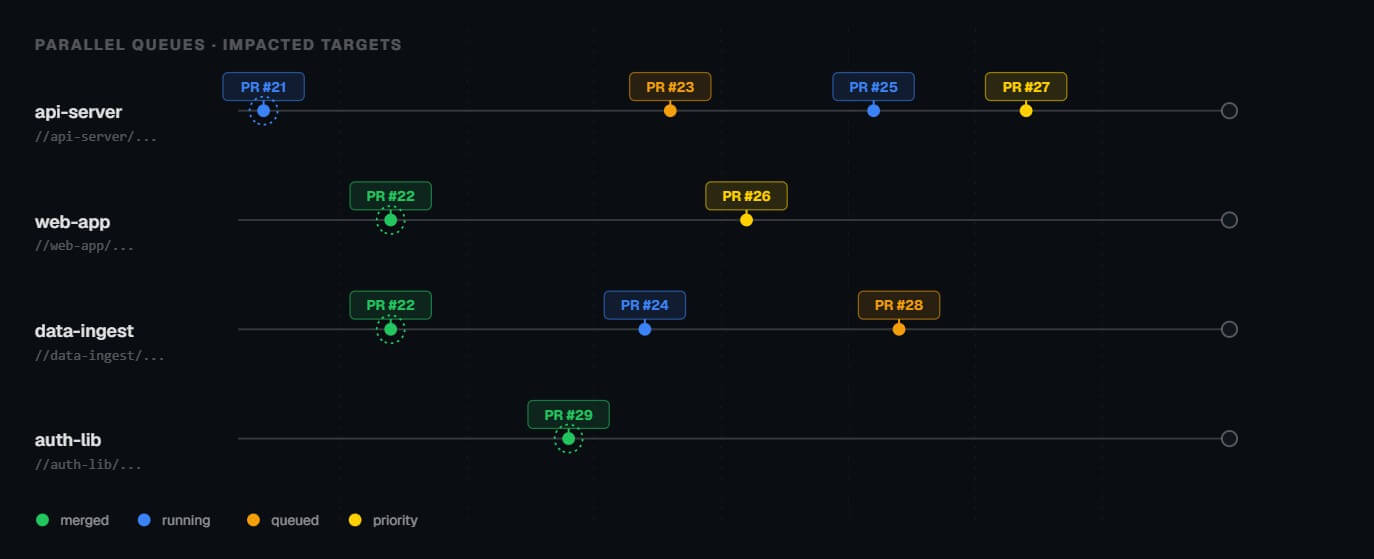
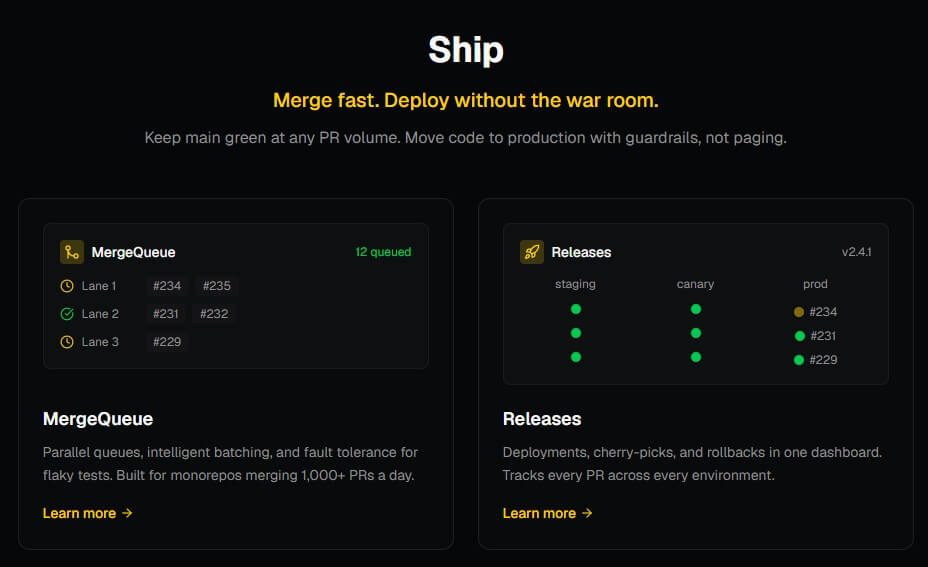
Aviator’s MergeQueue is probably the clearest core feature. It is designed for monorepos and high-velocity teams, with support for parallel queues, affected targets, batching, custom required checks, flaky test resilience, and CI-agnostic workflows. Aviator says its MergeQueue can work with build tools such as Bazel, NX, Pants, Turborepo, Gradle, Maven, and others, while integrating with CI systems like GitHub Actions, BuildKite, Jenkins, CircleCI, GitLab CI, and Argo.
The practical value is simple: teams can merge faster while reducing the chance that individually green PRs break main when combined.
| Feature | What it does | Why it matters |
|---|---|---|
| MergeQueue | Validates and merges PRs through configurable queues | Keeps main stable while increasing merge throughput |
| Inbox | Prioritizes PRs that need a developer’s attention | Reduces review queue scanning and missed blockers |
| Team Reviews | Routes PRs to reviewers based on ownership, expertise, and load | Helps teams avoid uneven review burden |
| Verify | Checks code against approved intent and acceptance criteria | Useful for AI-generated code and compliance-heavy workflows |
| Stacked PRs CLI | Helps create, sync, review, and merge stacked pull requests | Makes large changes easier to split and review |
| Releases | Tracks deployments, cherry-picks, rollbacks, and release notes | Helps teams understand what shipped and what still needs verification |
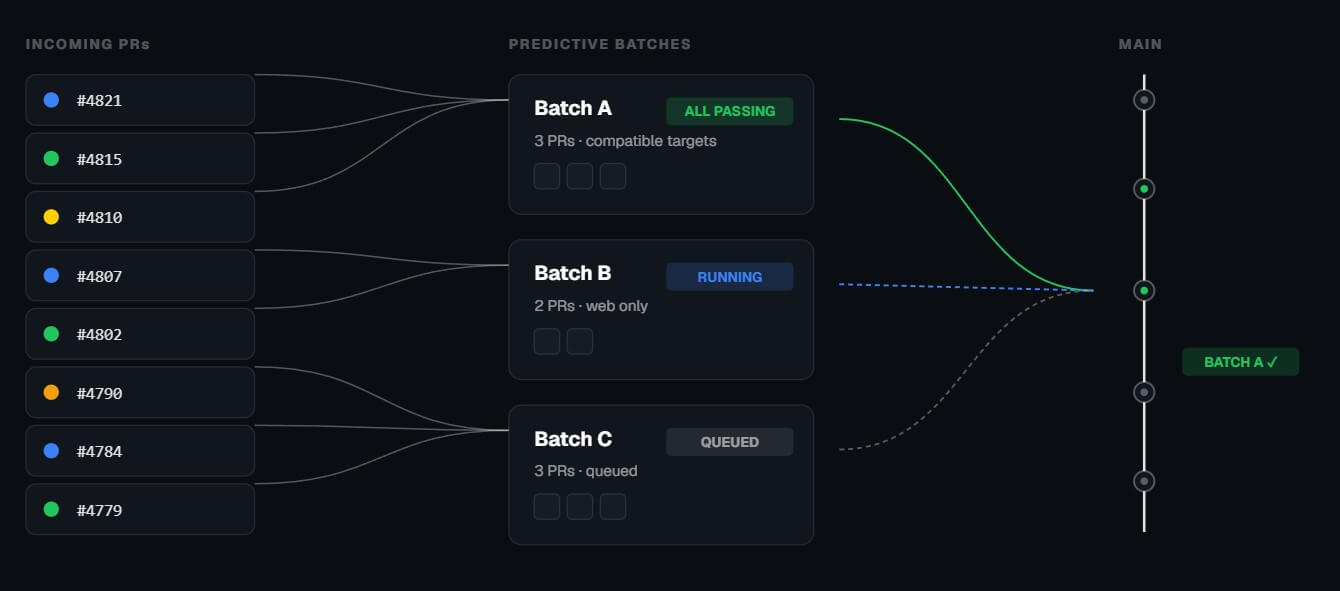
MergeQueue is where Aviator’s operational depth shows up. Large teams often run into four related problems: long test suites, flaky tests, outdated PR branches, and parallel changes that pass alone but fail together. Aviator’s merge queue is designed to address those issues by validating changes before they reach main, running dynamic parallel queues, grouping compatible PRs into batches, and supporting custom validation rules.
The affected-targets model is especially useful for monorepos. Instead of treating every PR as if it touched the entire codebase, Aviator can use affected code paths to create independent queues and run the checks that matter for that part of the repo. The docs describe affected-target handling as a way to determine which targets overlap and, when appropriate, test overlapping PRs together.
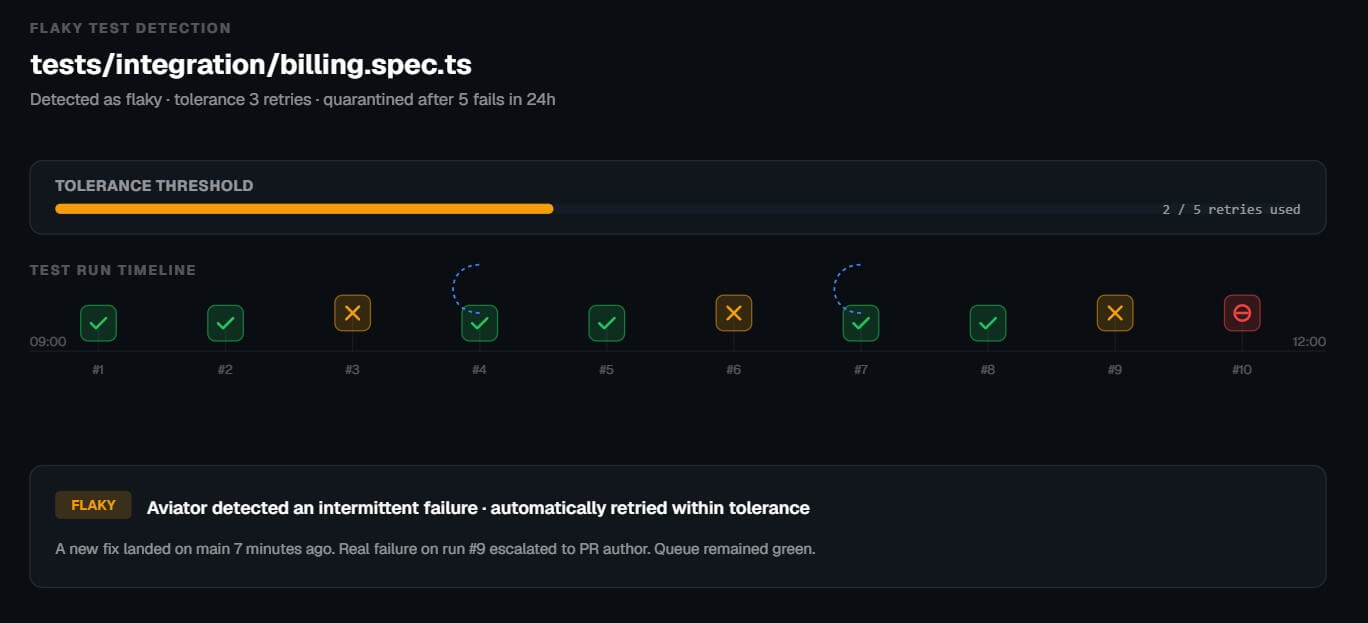
Flaky tests are another important part of the pitch. Aviator’s MergeQueue page describes tolerance thresholds, automatic retries inside the queue, and quarantine policies for repeated offenders. The docs also describe optimistic validation as a way to reduce queue resets caused by flaky tests in parallel mode. This is not only about speed. It is about trust. If developers stop trusting CI, they start rerunning tests manually, ignoring signals, or merging around the process. Aviator’s value rises when CI is expensive enough that every wasted run hurts.
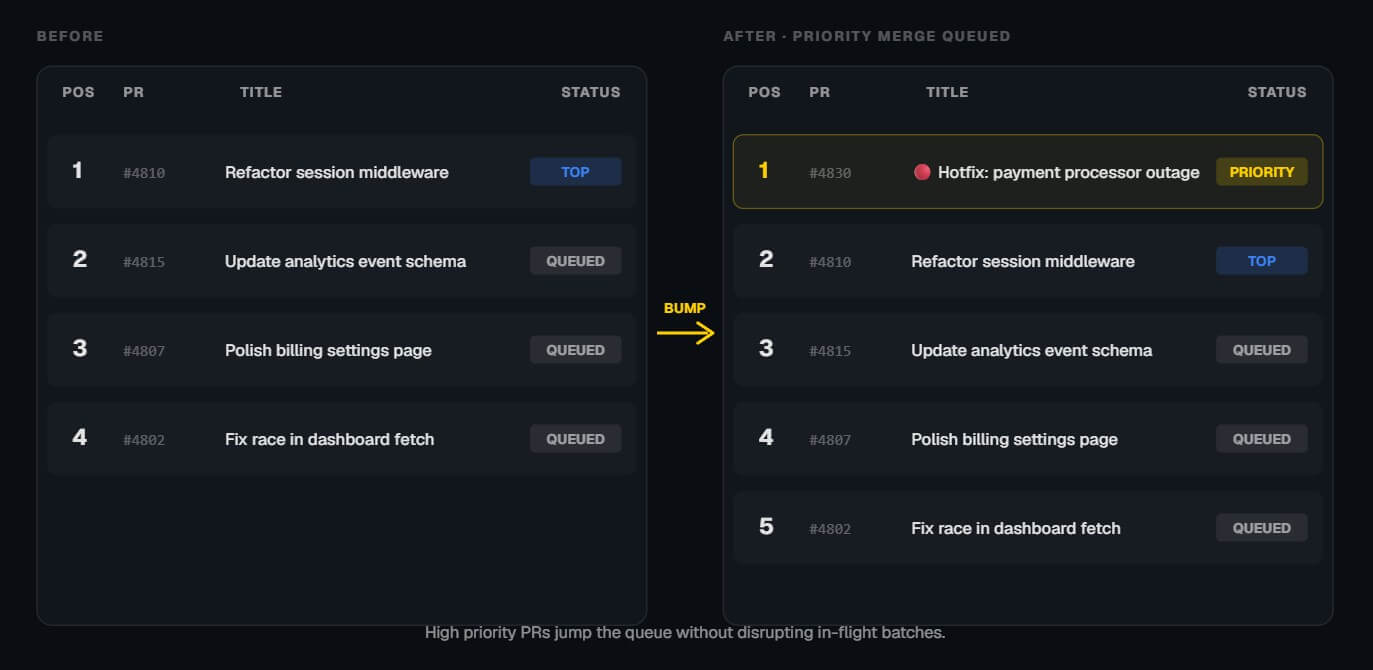
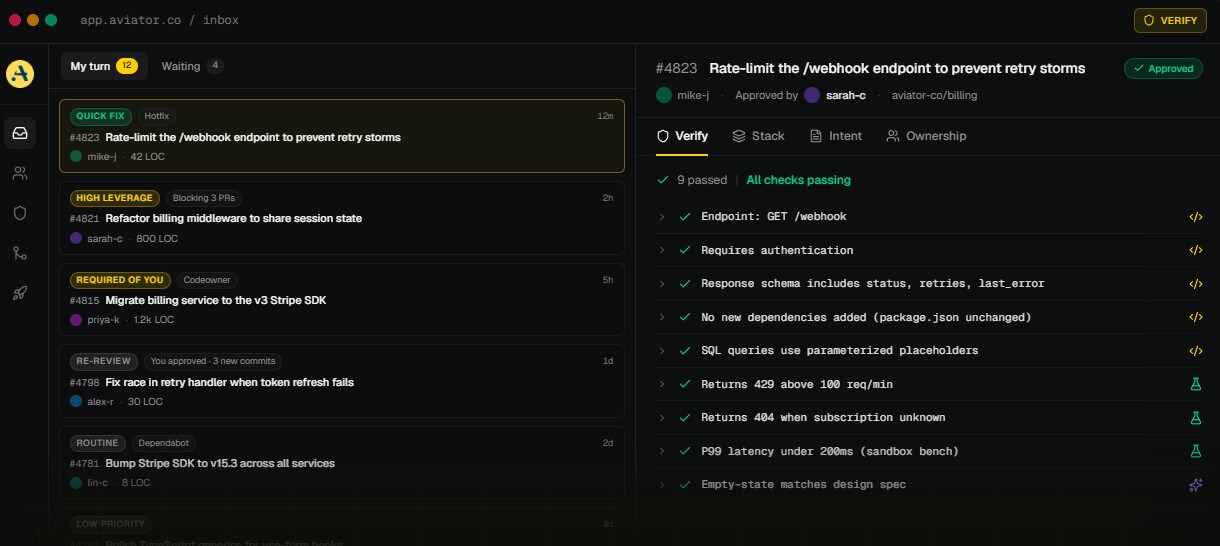
Aviator Inbox addresses a different pain: review attention. Its product page says Inbox tries to answer three questions on every PR row: whether the reviewer should act now, how much effort it will take, and what the PR is blocking. It groups PRs into categories such as needs re-review, high leverage, required of you, optional, and stale.
This is useful because review queues are not just lists. They are decision systems. A reviewer needs to know what unblocks someone else, what changed since the last approval, what requires code ownership, and what can safely wait.
Team Reviews extends that logic to the organization level. Aviator’s homepage describes reviewer routing based on expertise and load, while Inbox includes signals such as file familiarity, blocking relationships, code owner requirements, labels, and review-time estimates. The limitation is that routing quality depends on team habits. Ownership rules, labels, file boundaries, and review expectations need to be reasonably clean. If the organization’s review culture is unclear, Aviator can help surface the mess, but it will not fix the underlying norms by itself.
Verify is one of Aviator’s more interesting newer products because it responds to a real shift in software teams: AI can generate code faster than humans can review it. Aviator frames Verify around “verified intent,” where teams define scope and acceptance criteria before implementation, then Verify checks whether the resulting code matches that approved intent.
The important distinction is that Verify is not just another AI code reviewer. Aviator says Verify uses deterministic checks where possible, including code analysis, execution tests, pattern analysis, and benchmarks, with AI used as a fallback for more complex criteria. It also creates audit records linking spec approval, implementation, verification, and deployment.
That makes Verify most relevant for teams using AI coding tools, regulated teams that need evidence, and engineering leaders worried about rubber-stamped AI-generated PRs. The caveat is that spec-driven verification only works if the spec is good. Weak acceptance criteria lead to weak verification.
Aviator’s open-source av CLI helps developers break large changes into smaller stacked PRs, sync parent and child branches, propagate conflict resolutions, and view approval, CI, and queue status across a stack. Aviator describes it as a way to create, update, review, and merge stacked pull requests on GitHub without losing context.
Runbooks pushes further into AI-assisted development. Aviator describes Runbooks as multiplayer, spec-driven development where tasks can be planned, shared, executed by background agents, turned into PRs, and refined through review comments or CI failure analysis.
This is useful for migrations, refactors, flaky test fixes, backlog work, and repeated engineering workflows. Still, teams should treat agent output like any other code: reviewed, tested, and merged through the same controls.
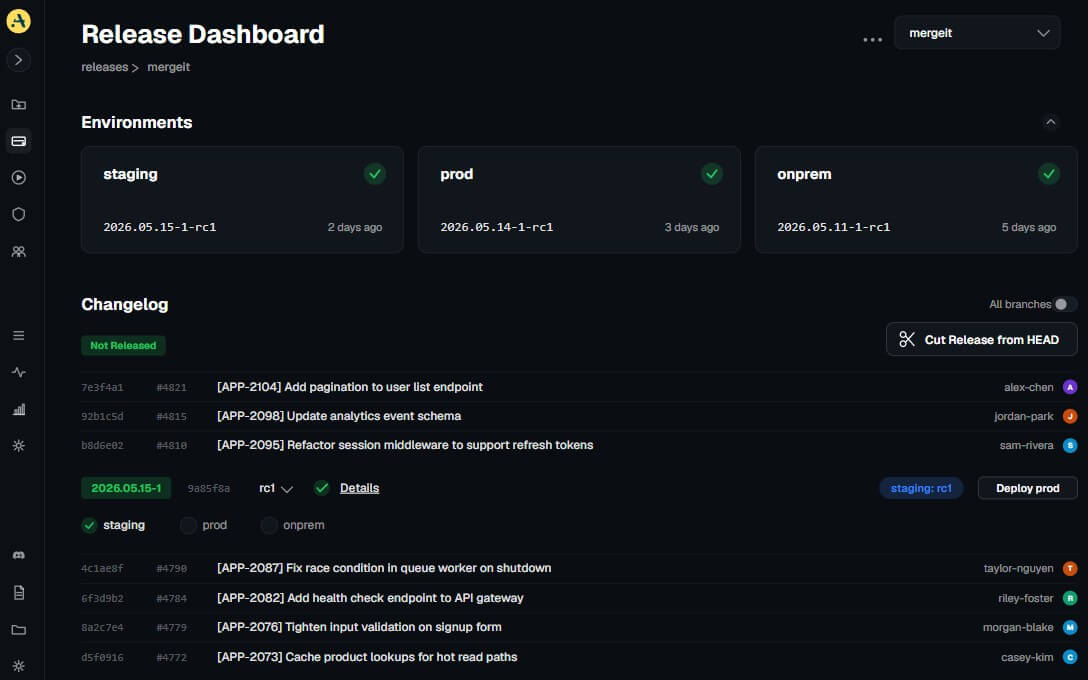
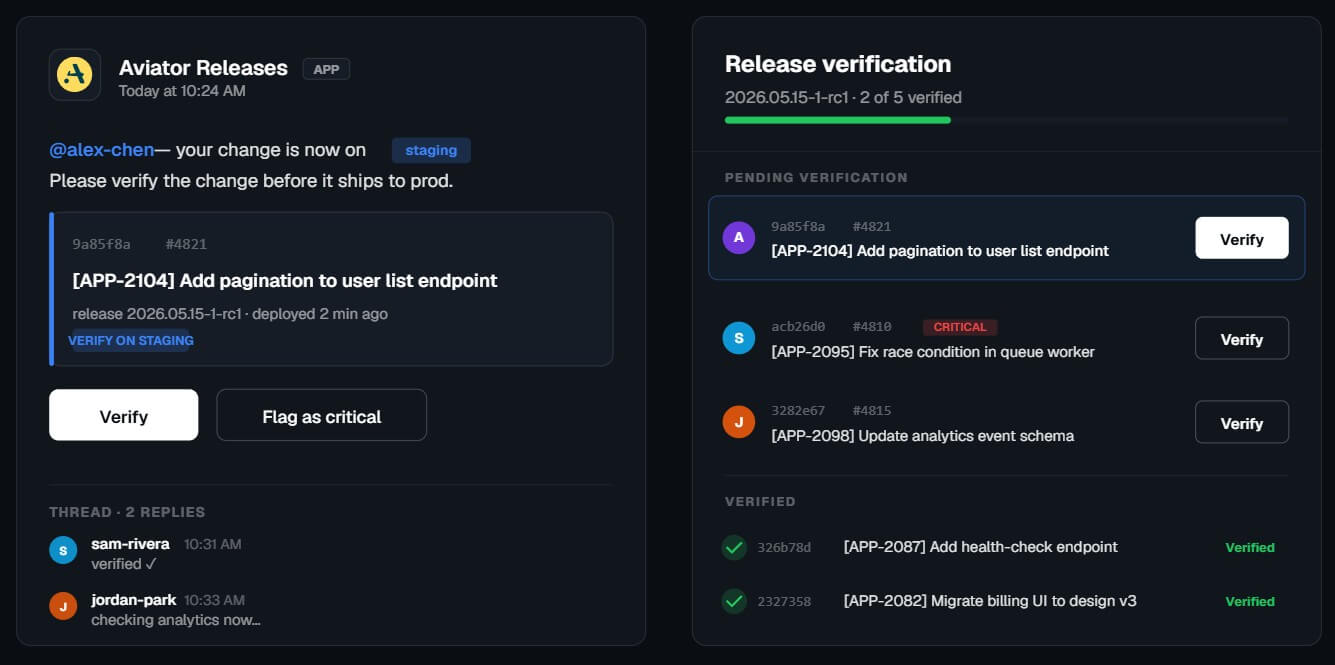
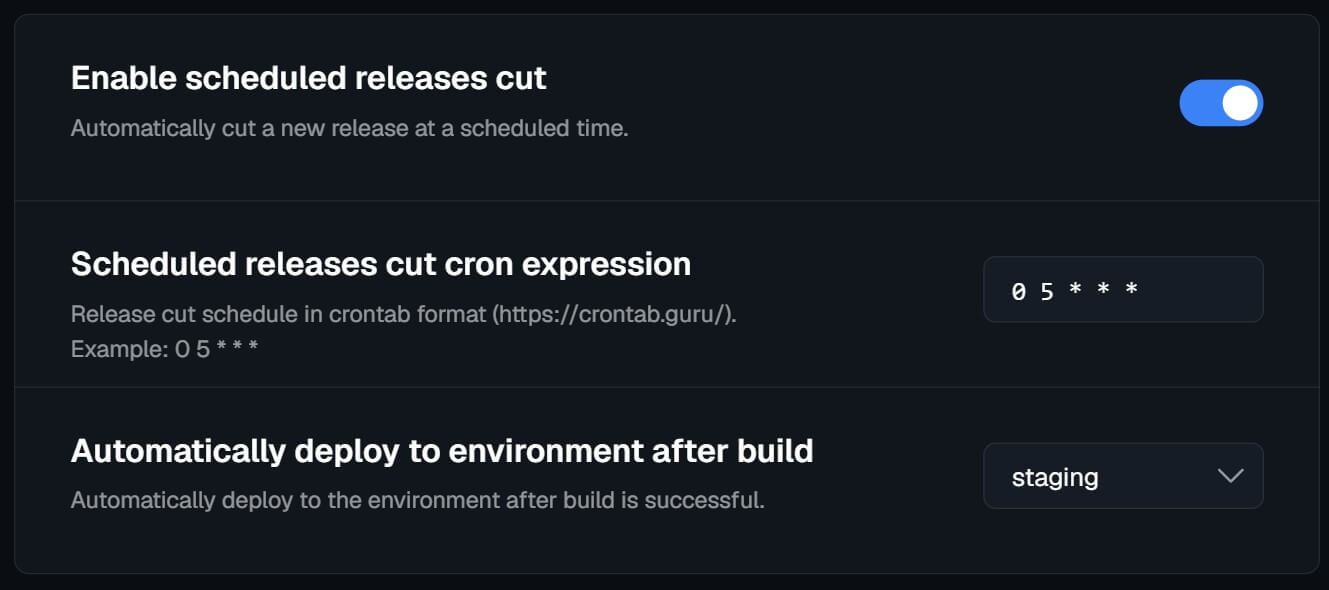
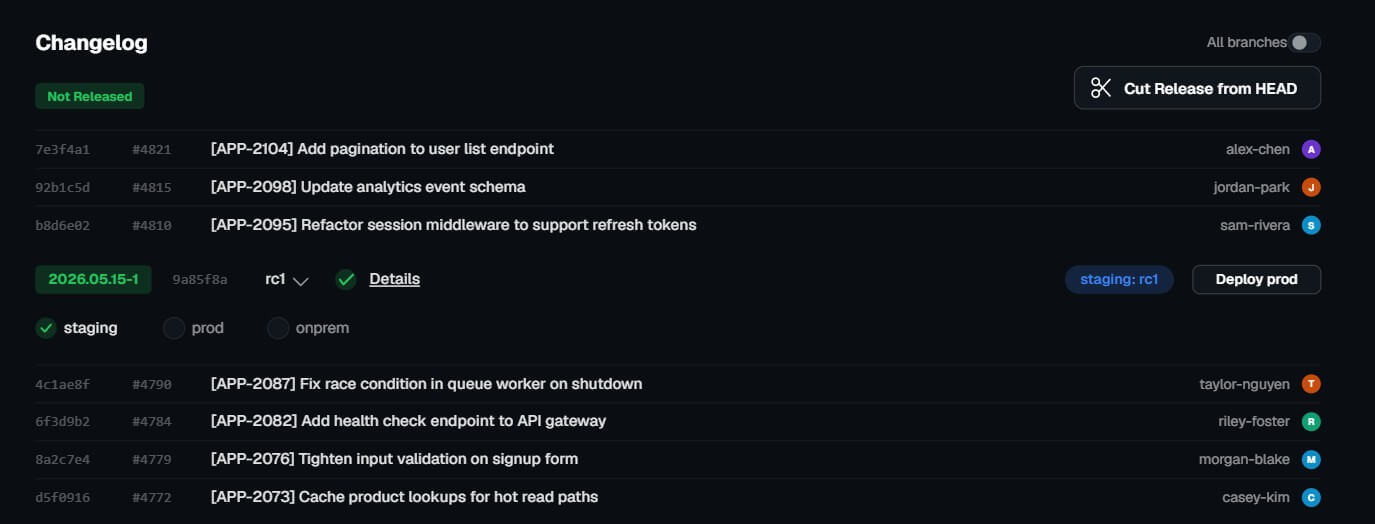
Aviator Releases helps teams track what has shipped, what is in staging, what needs verification, and what needs rollback or cherry-pick handling. The product page describes one-click deployment and rollback workflows, automated cherry-picks, release notes generated from PRs, scheduled deployments, and release verification through Slack.
This matters for teams where deployment status is hard to answer. If product, support, and engineering cannot tell whether a fix is in staging, production, or still waiting on verification, release coordination becomes noisy. Aviator’s release layer is strongest when it connects code changes to real deployment environments.
Aviator is best for high-throughput engineering teams, monorepo teams, platform teams, AI-heavy engineering groups, and organizations with painful PR queues or release processes. It fits teams that care about trunk-based development, small PRs, CI reliability, review ownership, and controlled deployments.
It is less ideal for very small teams with simple repos, short CI runs, and low PR volume. Those teams may not feel enough workflow pain to justify another layer.
Aviator’s main trade-off is complexity. It solves real engineering coordination problems, but setup requires thought: queue rules, CI checks, labels, ownership, release environments, and team workflows all need alignment.
The second limitation is cultural. Better merge queues and review routing help, but they do not replace clear engineering standards. Teams still need good tests, clean ownership, small PR habits, and review discipline.
The third caveat is that the AI-oriented features depend on structured intent. Verify and Runbooks work best when teams write clear specs, acceptance criteria, and reusable workflows.
Aviator is best for engineering teams that need more control over PR review, merge safety, CI reliability, stacked changes, and releases. Its strongest value is the way these workflows connect: review triage feeds merge discipline, merge queues protect main, releases track what shipped, and Verify adds a stricter layer for AI-generated code. It is a strong fit for growing engineering organizations, monorepos, platform teams, and AI-heavy development environments. The main caveat is that Aviator works best for teams ready to formalize their engineering process. Without clean rules and review habits, it can expose bottlenecks faster than it solves them.
TAGS: Productivity
Related Tools:

Extracts data from PDF documents

Helps users create customized resumes and cover letters

AI-driven scriptwriting software

Enhances focus and efficiency in work or study
Assists users in solving mathematical problems

AI meeting assistant that tracks participation