
Share this tool:
 |
Description:
- Introduction: What Is Avaturn?
- Selfie to 3D Avatar Is the Starting Point
- T1 and T2 Avatars Solve Different Problems
- Customization Goes Beyond the Face
- Animation Readiness Is a Strong Practical Advantage
- Built for Games and Apps, Not Just Avatar Downloads
- Best Use Cases
- Limitations and Trade-Offs
- Final Takeaway
Avaturn is an AI-powered realistic avatar platform built for both individual creators and developers who want personalized 3D people inside games, apps, virtual worlds, and interactive experiences. Its core workflow starts with a selfie, generates a recognizable 3D avatar, then lets the user customize body shape, hair, clothing, footwear, glasses, and accessories. The finished avatar can be exported as a 3D model or generated directly inside another application through Avaturn’s integration system.
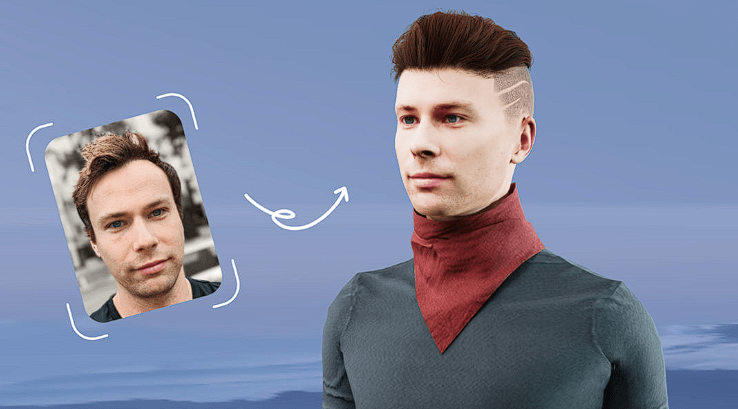
Avaturn’s main attraction is how little setup it requires from the user.
Instead of starting with a character creator full of facial sliders, you begin with a photo. Avaturn uses the image to construct a recognizable 3D identity, which then becomes the base for further customization. Its current site describes the system as generative AI for converting a 2D selfie into a realistic 3D avatar.
This works best when personalization matters. A generic character generator may provide more freedom to invent a fantasy face, but Avaturn is aimed at letting a real user see something closer to themselves inside a digital experience.
| Capability | Why It Matters |
|---|---|
| Selfie to Avatar | Creates a recognizable 3D identity from a photo |
| Body Customization | Adjusts body shape beyond the generated face |
| Hair and Clothing | Lets users personalize the finished character |
| Humanoid Rig | Makes avatars suitable for character animation |
| ARKit Blendshapes | Supports facial animation on compatible avatar types |
| Visemes | Helps with speech and lip-sync workflows |
| GLB Export | Moves avatars into standard 3D applications |
| SDK and API | Embeds avatar creation inside games and apps |
One of the more important technical details is that Avaturn currently documents two avatar types: T1 and T2.
T1 is designed around visual likeness. According to Avaturn, it offers the more realistic and recognizable face and is also lightweight, but its face is static. It does not support facial bones or blendshapes.
T2 gives up some of that likeness in exchange for animation features. These avatars include separate eyes and mouth geometry and can use ARKit blendshapes and visemes for facial performance and speech.
That trade-off is worth understanding before building a project. A social profile avatar that mostly needs to look like the user may benefit from T1. A talking character, VTuber, NPC, or interactive host is more likely to need T2.
Avaturn also documents newer v2024 body types, designed with more consistent skeleton proportions than its older body system. That consistency should make animation work easier when users switch between different body shapes.
Once the base avatar exists, users can change body type, hairstyle, clothing, shoes, glasses, and accessories. Avaturn says its standard combinations allow more than 10,000 possible looks.
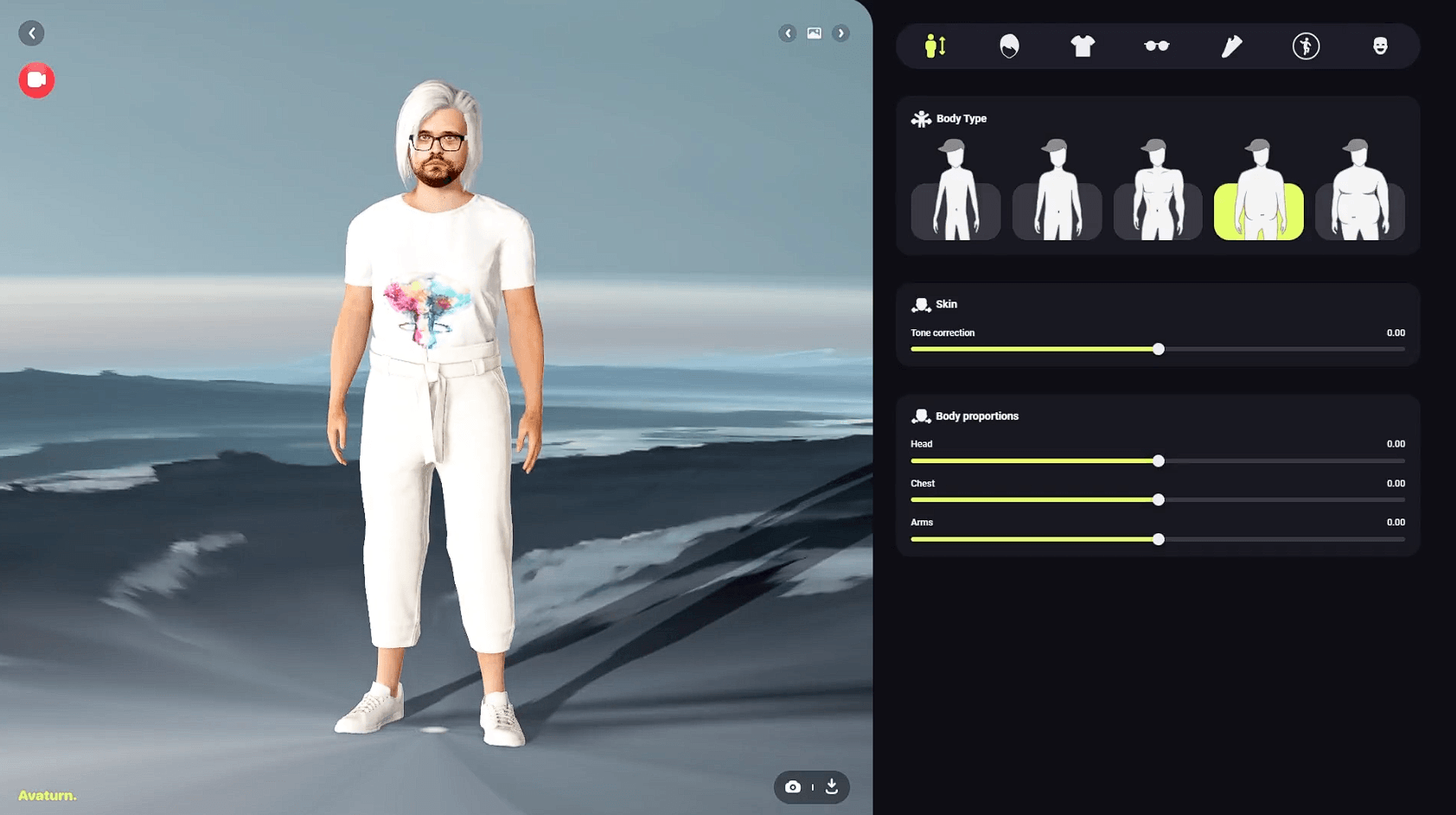
For developers, the more interesting feature is the ability to bring in custom content.
Avaturn provides guidelines for uploading custom clothing, footwear, eyewear, hair, and headwear. Clothing can be prepared on Avaturn template bodies, skinned to the supplied skeleton, and uploaded as GLB. The platform then adapts supported assets across the available avatar body variations.
Teams can also customize parts of the avatar experience itself, including interface colors, the surrounding environment, and branding.
That makes Avaturn more useful for branded games and virtual experiences than a fixed consumer avatar creator.
Avaturn avatars come with a standard humanoid body rig and are designed to work with existing animation pipelines.
The company specifically lists compatibility with Mixamo animations and VTubing software, while T2 avatars add the facial blendshapes and visemes needed for more expressive performances.
This saves an important production step. A visually convincing avatar that arrives as an unrigged mesh still needs substantial work before it can walk, gesture, or speak. Avaturn tries to deliver the character closer to that usable stage.
The exported format is primarily GLB. Avaturn documents workflows for bringing avatars into Blender, Unity, Unreal Engine, Maya, Cinema 4D, and other 3D environments. Its Unity documentation recommends loading the GLB directly rather than converting it to FBX.
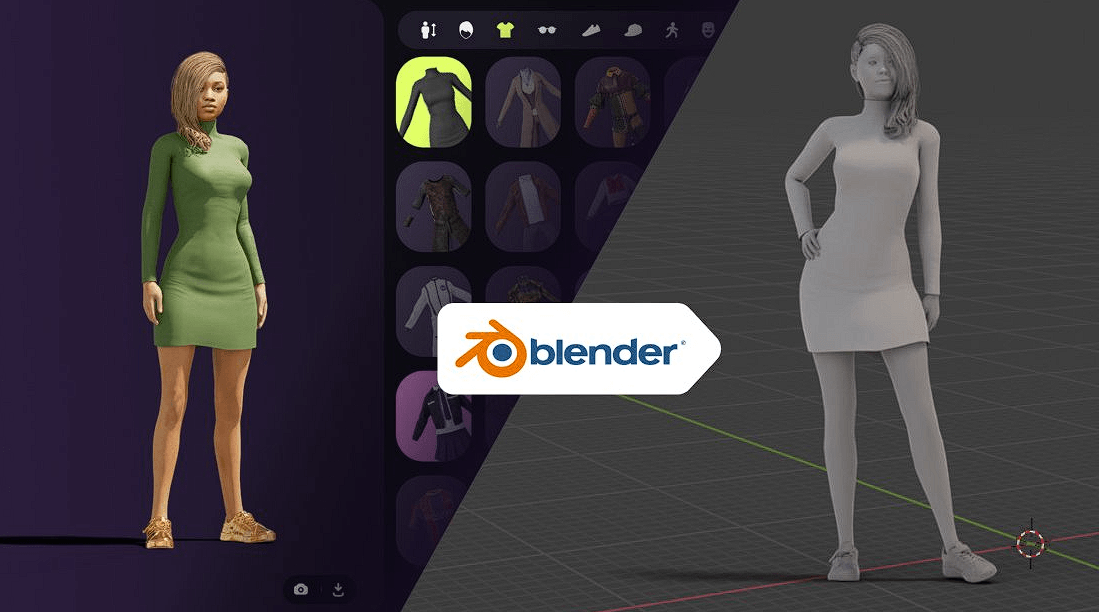
Avaturn becomes more distinctive on the developer side.
The avatar creator can be embedded into a game or application so a user creates and customizes a character without leaving the experience. Once customization is complete, the app receives the compiled avatar model and can replace its existing character.
Official integration documentation currently covers Unity, Unreal Engine, web/HTML and Three.js, Android, and iOS.
The web SDK goes further by exposing callbacks for events such as body or clothing changes, allowing developers to control available assets and build a custom interface around the avatar system.
Avaturn is strongest for games with player personalization, social VR, metaverse applications, VTubing, virtual events, digital identity, multiplayer experiences, training simulations, and apps that need realistic user avatars.
It is particularly useful when hundreds or thousands of users need individualized characters. Manually modeling each person is unrealistic, while a selfie-based generator can create them through the same repeatable pipeline.
The biggest trade-off is between likeness and facial animation. T1 prioritizes recognition but has a static face, while T2 supports facial motion with some reduction in likeness.
Avaturn is also a structured avatar system, not a full character-modeling suite. Artists who need unusual anatomy, fantasy creatures, highly stylized proportions, bespoke facial topology, or detailed sculpting will still need conventional 3D tools.
Custom garments require proper skinning and preparation, so developer customization is not completely automatic. Web delivery also encourages sensible polygon counts and texture sizes to keep avatars responsive across different devices.
Avaturn is strongest as a selfie-to-avatar system that already thinks about what happens after the avatar is generated. Customization, humanoid rigging, facial-animation options, GLB output, custom clothing, and runtime integrations make it more practical than a generator that stops at a static character.
It is best for developers and creators who need realistic personalized humans across games or interactive experiences. The main caveat is that users must choose between maximum facial likeness and deeper facial-animation support, while specialized character designs still require a more traditional 3D workflow.
TAGS: 3D Model
Related Tools:
Generates detailed 3D models
Converts smartphone videos into high-quality 3D models

Offers online courses taught by industry experts
Generates videos and 3D models

Transforms classroom presentations into interactive learning experiences

Enables users to create and sell online courses